• On sale!
AJIT-BLOCKEDITOR - Siatka kolumn

PrestaShop Block Editor - Product Descriptions and Columns

Build descriptions with images and text in responsive columns. This TinyMCE extension adds blocks, dividers, spacing and quotes.

  • Version 0.6.3
  • Last update 2026-10-02
  • PrestaShop compatibility 1.7.8 – 9.x
  • Multistore Not tested
  • Cron job No
  • Languages Polski English Français Deutsch Italiano Español
  • Delivery time Sent automatically by e-mail
View demo Manual
help_outlineAsk about product
PrestaShop Block Editor - Product Descriptions and Columns

PrestaShop Block Editor - Product Descriptions and Columns

+48 728 658 005

Call or use the form below


€45.55 excl. VAT

€56.03 incl. VAT

Lowest price in the last 30 days: €34.33

Price history

Regular price Promotional price

Installation ⓘLet me install the module for you. I will install it, test it and verify that it works correctly.

Technical support

Domain ⓘEnter the URL of the domain where the module will be installed.

Quantity

PrestaShop description block editor - columns and content

Build descriptions with images and text in responsive columns. This TinyMCE editor extension adds blocks, separators, spacers and quotes.

Available languages: PL EN FR DE IT ES

Column grid available in the TinyMCE editor

Column grid available in the TinyMCE editor

You split content into columns directly in TinyMCE. You can pair a photo with a description or plan several product sections of different widths.
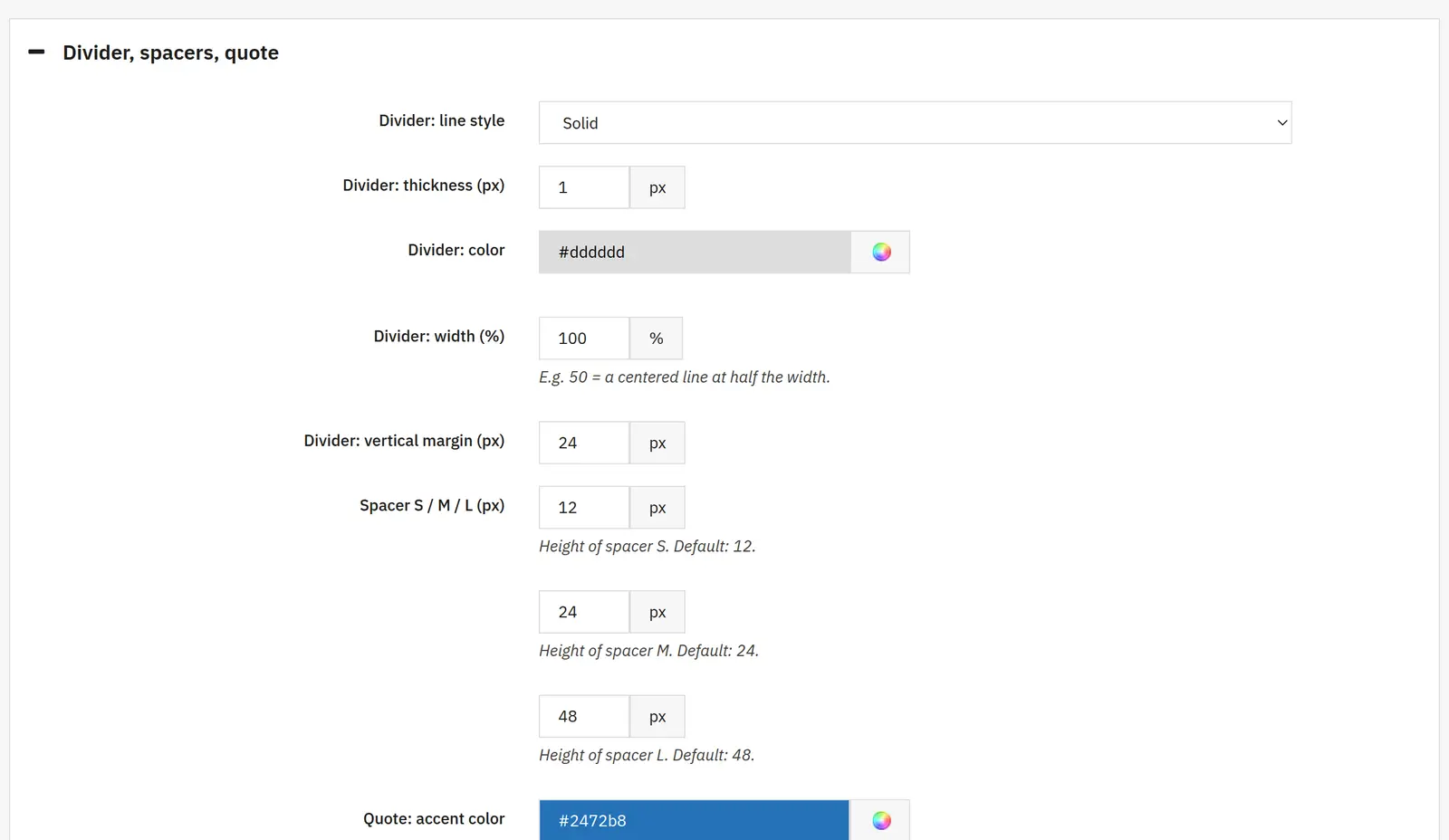
Separators, spacers and quote blocks

Separators, spacers and quote blocks

Separators, spacers and quotes help set the rhythm of a longer description. The layout stays part of the content and can be edited later in the store back office.
Columns stacked one below another on the phone

Columns stacked one below another on the phone

On a small screen the columns switch to a vertical layout. This lets you prepare a single description that stays readable on desktop and phone.

Who is this module for?

A solution for anyone preparing rich product descriptions and informational content without writing HTML layout by hand.
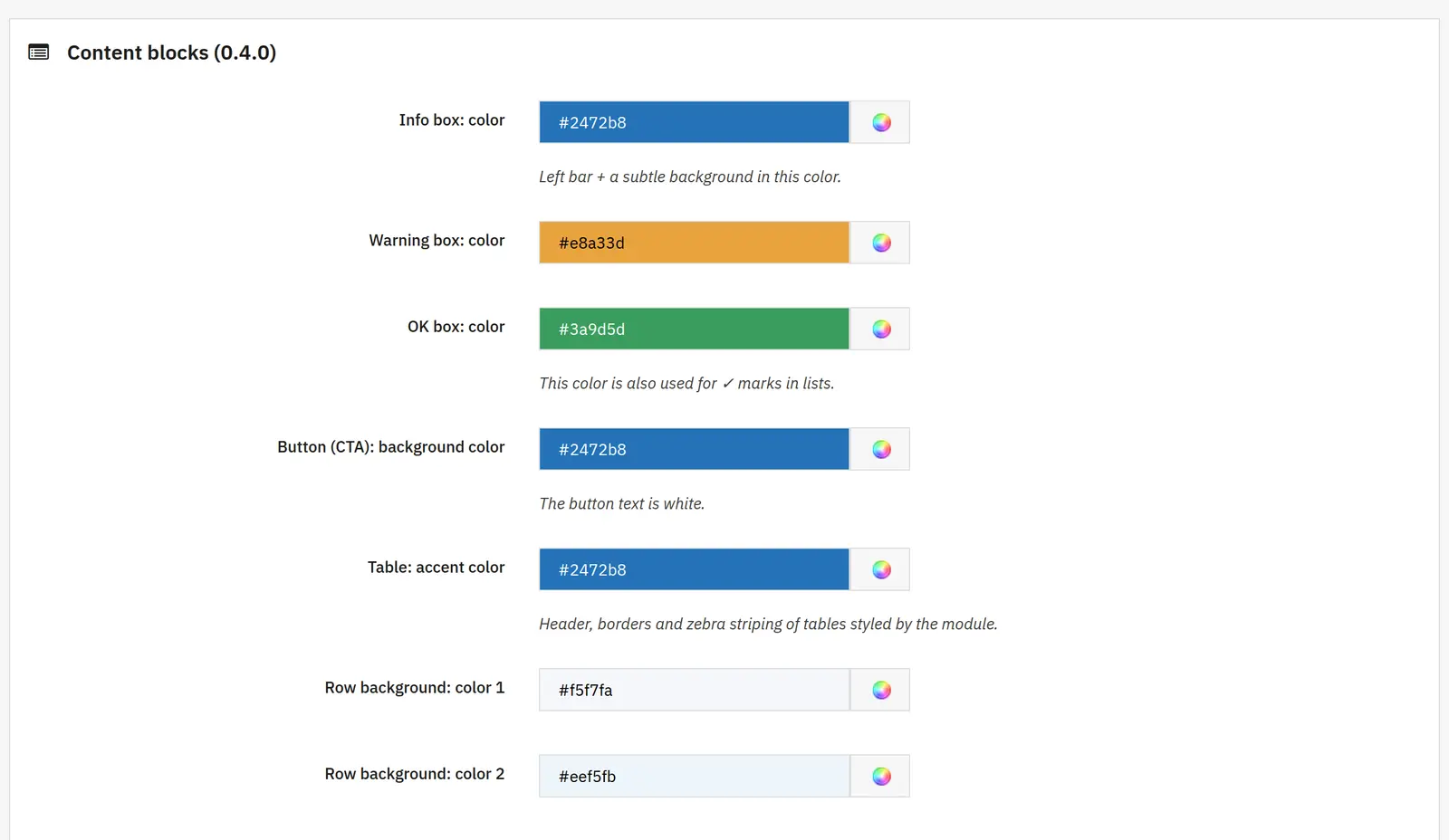
What can you set in the module panel?

Column layout

01 / Column layout

Column layout

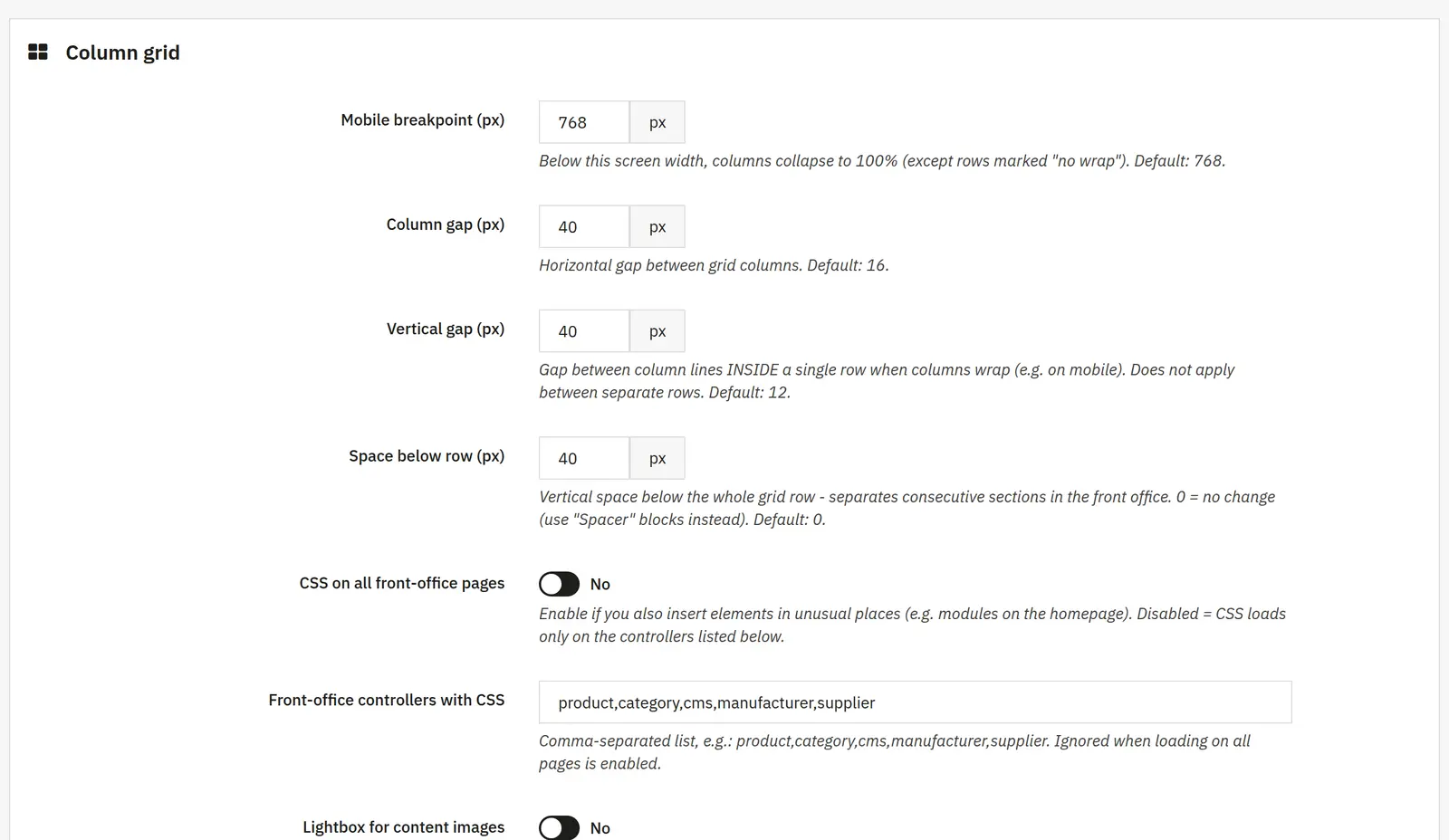
Mobile breakpoint
Sets the screen width below which columns take the full width. Rows marked as no-wrap are the exception.
Horizontal, vertical and below-row spacing
The first spreads columns side by side. The second separates columns after wrapping within one row. The third pushes whole sections apart.
Style loading and images

02 / Style loading and images

Style loading and images

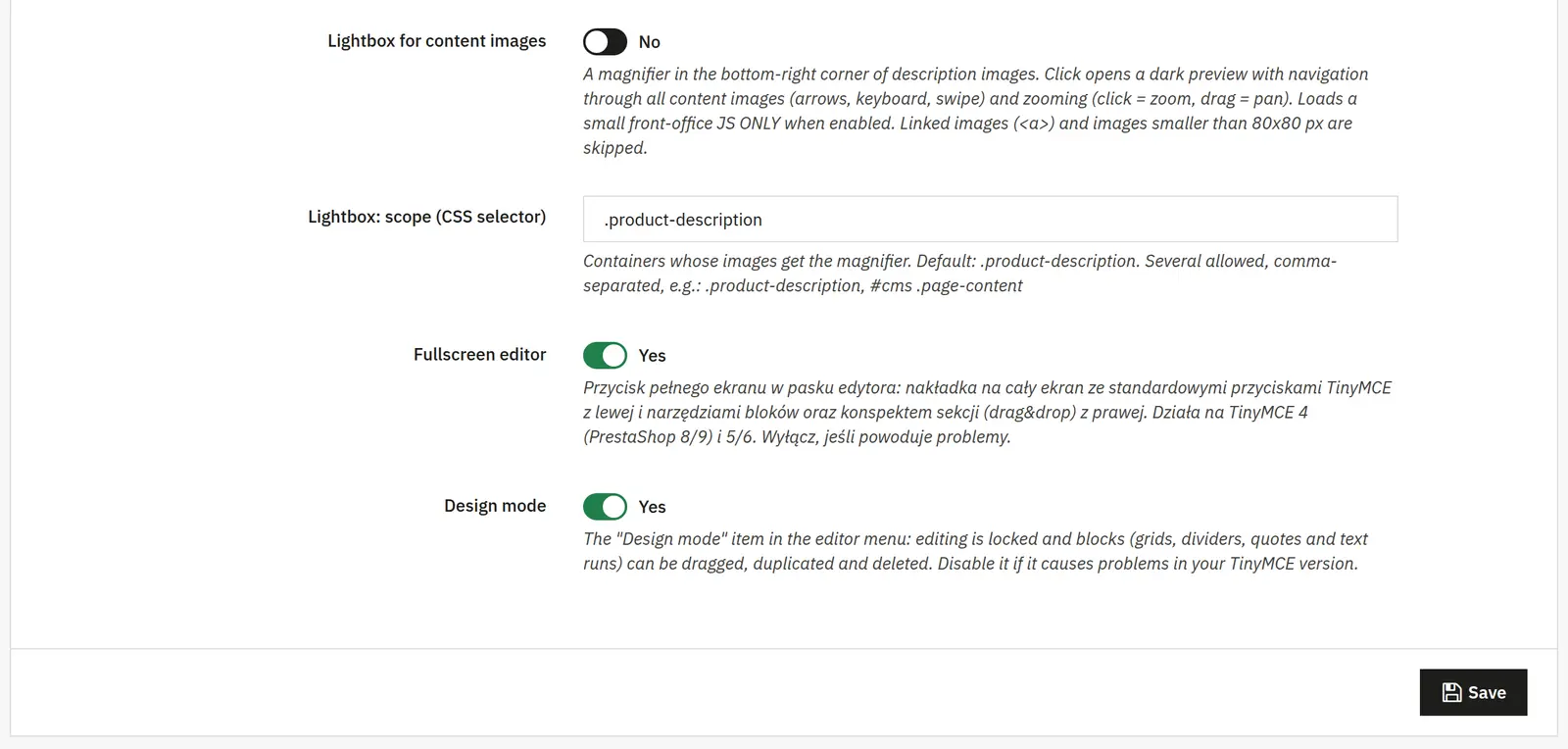
CSS on all pages and controller list
You choose global style loading or specific page types, e.g. product, category and cms. The list is ignored when global mode is on.
Lightbox and CSS scope
Enables image zoom in the content. The selector points to the containers where it should work. Linked images and those smaller than 80 × 80 px are skipped.
Working in the editor

03 / Working in the editor

Working in the editor

Full-screen mode
Adds a full-screen editor with TinyMCE tools, blocks and a section outline. You can turn it off in case of a conflict with the editor.
Design mode
Lets you move, duplicate and delete blocks instead of editing the text inside them.
Block appearance

04 / Block appearance

Block appearance

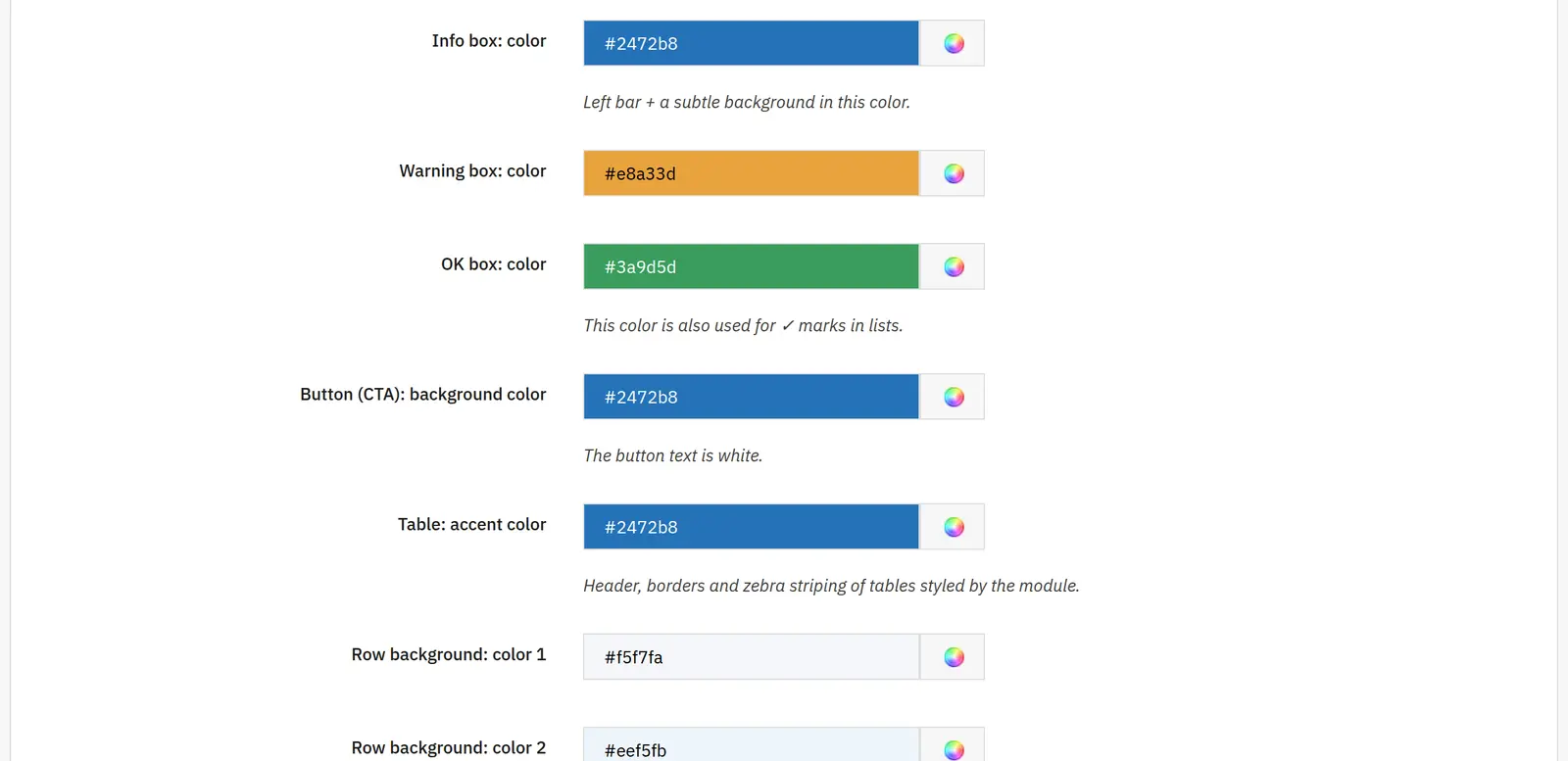
Separator: style, thickness, color, width and margin
You set separately the line type, its thickness in pixels, the color, the share of the section width, and the spacing above and below the separator.
S, M and L spacers
They define the heights of the ready-made spacer blocks used when composing a description.
Quote: accent and background
The accent color applies to the bar next to the quote, and the background color to its surface. A page-colored background gives the effect without a highlighted surface.
Four image backgrounds and padding
Image URLs form a set of backgrounds to choose from. An empty slot is unused. Padding sets the distance between the photo and the background edge.
AJIT-BLOCKEDITOR

Data sheet

Version
0.6.3
Last update
2026-10-02
PrestaShop compatibility
1.7.8 – 9.x
PHP version
7.4 – 8.3
Languages
DE, EN, ES, FR, IT, PL
Multistore
Not tested
Cron job
No
Core overrides
No
Theme compatibility
Any theme
External service required
Not required
Source code
Open, no ionCube
Licence
1 shop (domain), no time limit
Updates
Free for 12 months
Technical support
Free for 6 months
Delivery time
Sent automatically by e-mail
VAT invoice
Yes
Returns
As stated in the terms
Package size
109 kB
Demo link
Link
Documentation
Link

No customer reviews for the moment.

Related Products ( 4 other products in the same category )