• On sale!
Push & Email Notifications with Firebase - PrestaShop Module

Push & Email Notifications with Firebase - PrestaShop Module

Expand your store's communication with push and email notifications. The module integrates browser notifications with the Firebase service.

  • Version 1.0.0
  • Last update 2026-10-02
  • Multistore Not tested
  • Cron job Yes
  • Languages Polski English Français Deutsch Italiano Español
  • Delivery time Sent automatically by e-mail
View demo Manual
help_outlineAsk about product
Push & Email Notifications with Firebase - PrestaShop Module

Push & Email Notifications with Firebase - PrestaShop Module

+48 728 658 005

Call or use the form below


€45.55 excl. VAT

€56.03 incl. VAT

Lowest price in the last 30 days: €34.33

Price history

Regular price Promotional price

Installation ⓘLet me install the module for you. I will install it, test it and verify that it works correctly.

Technical support

Domain ⓘEnter the URL of the domain where the module will be installed.

Quantity

PrestaShop push and e-mail notifications - Firebase

Extend your store communication with push and e-mail notifications. The module integrates browser notifications with the Firebase service.

Available languages: PL EN FR DE IT ES

Push notifications for your audience

Push notifications for your audience

Browser notifications create an additional contact channel with your audience. The user must grant consent in a browser that supports this feature.
E-mail notification support

E-mail notification support

E-mail support lets you use the traditional messaging channel as well. Communication settings should match the recipients' consents and preferences.
Firebase integration

Firebase integration

The push integration relies on Firebase. Deployment requires project configuration plus a test of recipient registration and notification delivery.

Who is this module for?

A solution for stores that grow customer communication beyond the product page itself.

Requirements and setup

Push notifications require Firebase configuration and the recipient's consent in a supported browser.
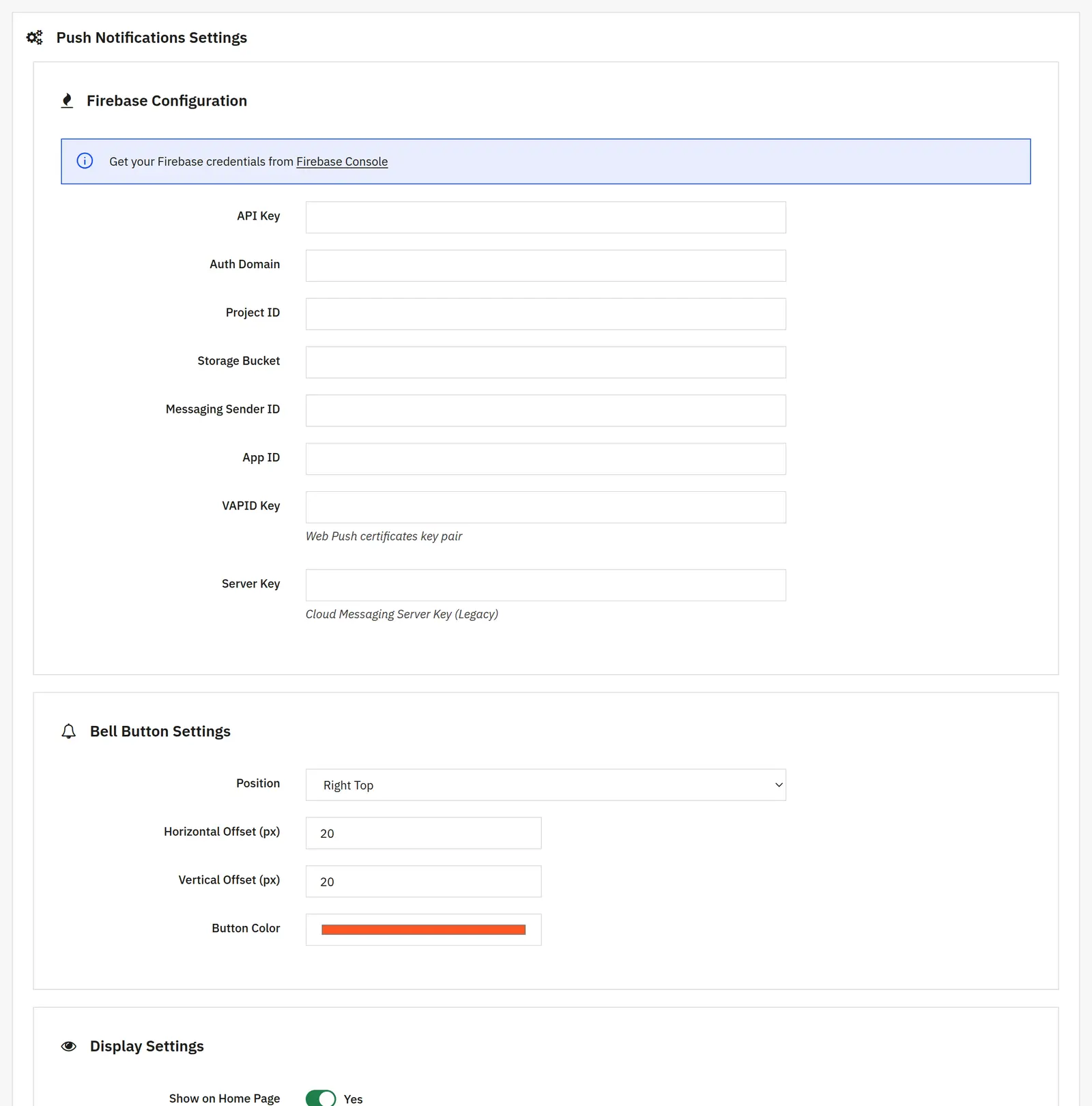
What can you set in the module panel?

Firebase connection

01 / Firebase connection

Firebase connection

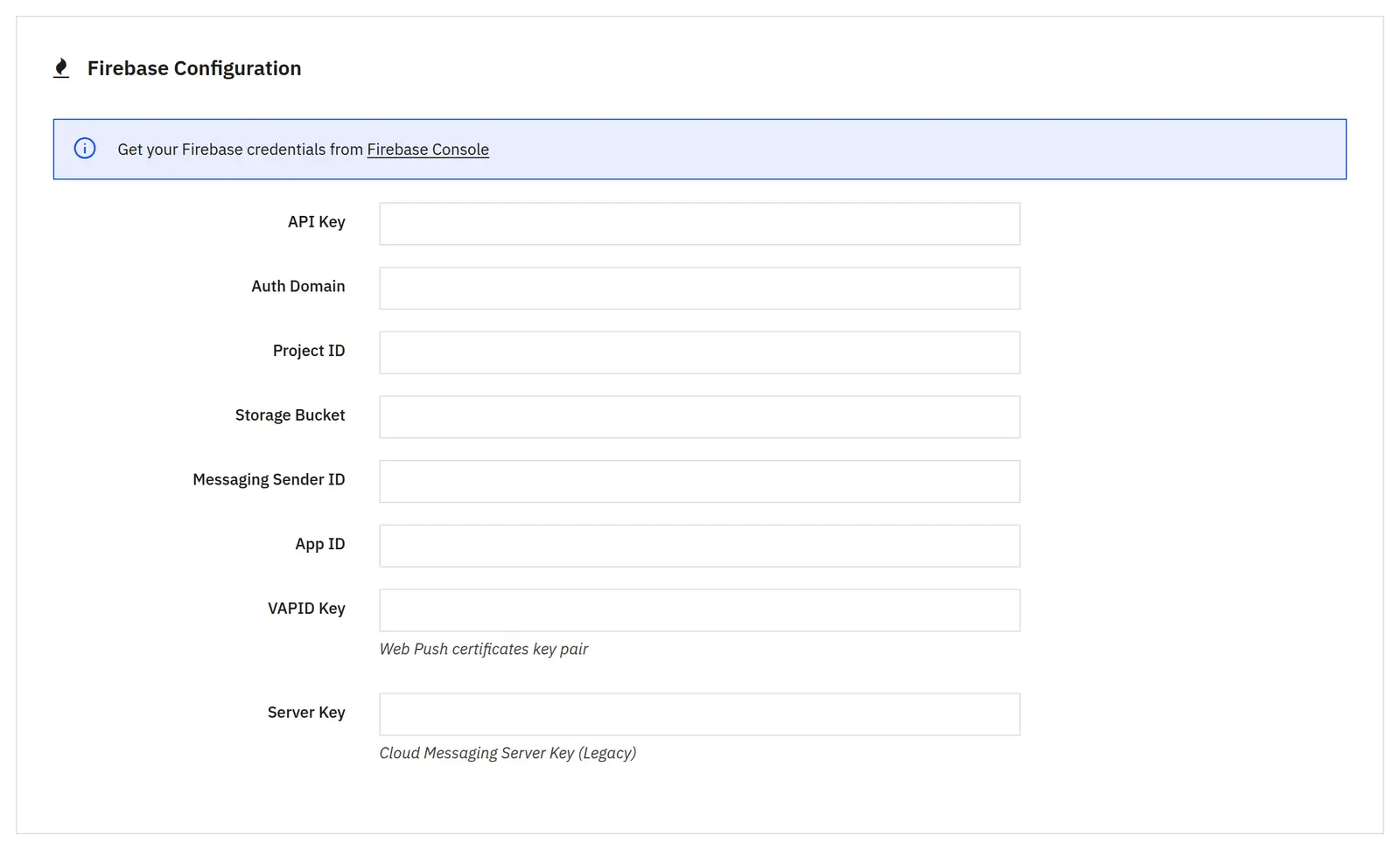
Project configuration
API key, auth domain, project ID, storage bucket, messaging sender ID and app ID point to the Firebase project. The VAPID and server keys complete the sending configuration provided by the module.
Subscribe button

02 / Subscribe button

Subscribe button

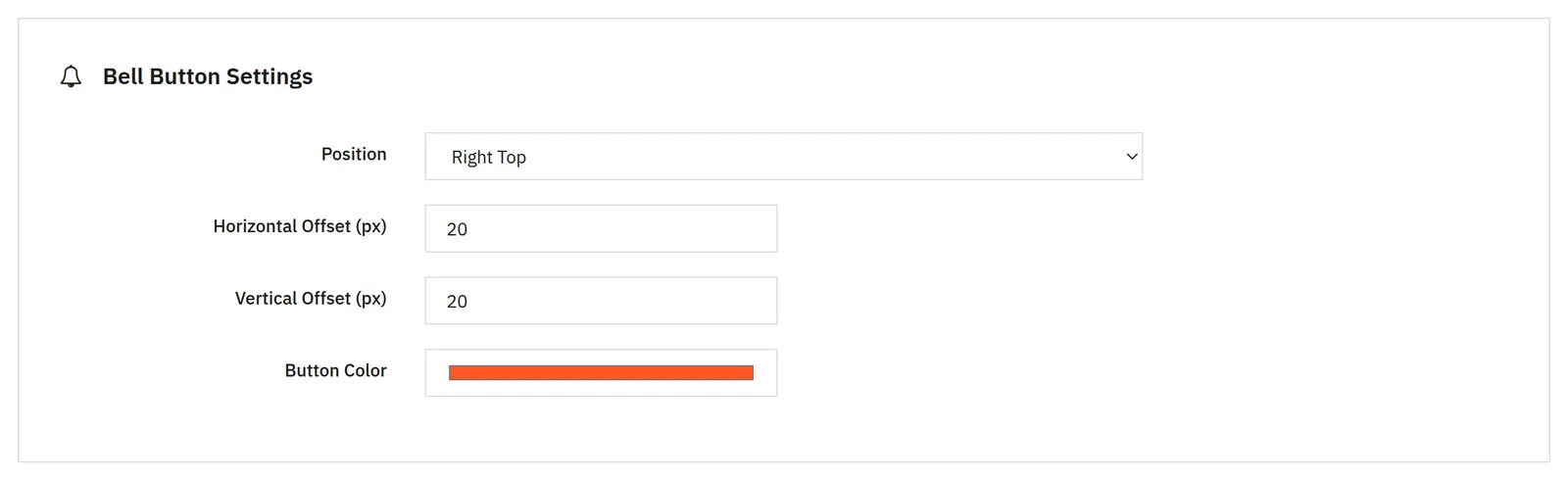
Position and visibility
You set the position, horizontal and vertical offset, and the color. Visibility on the home, category and product pages is chosen separately.
Consent and privacy policy
You choose the policy CMS page and the consent text. Push subscription also requires permission granted in the customer's browser.
Manual campaign

03 / Manual campaign

Manual campaign

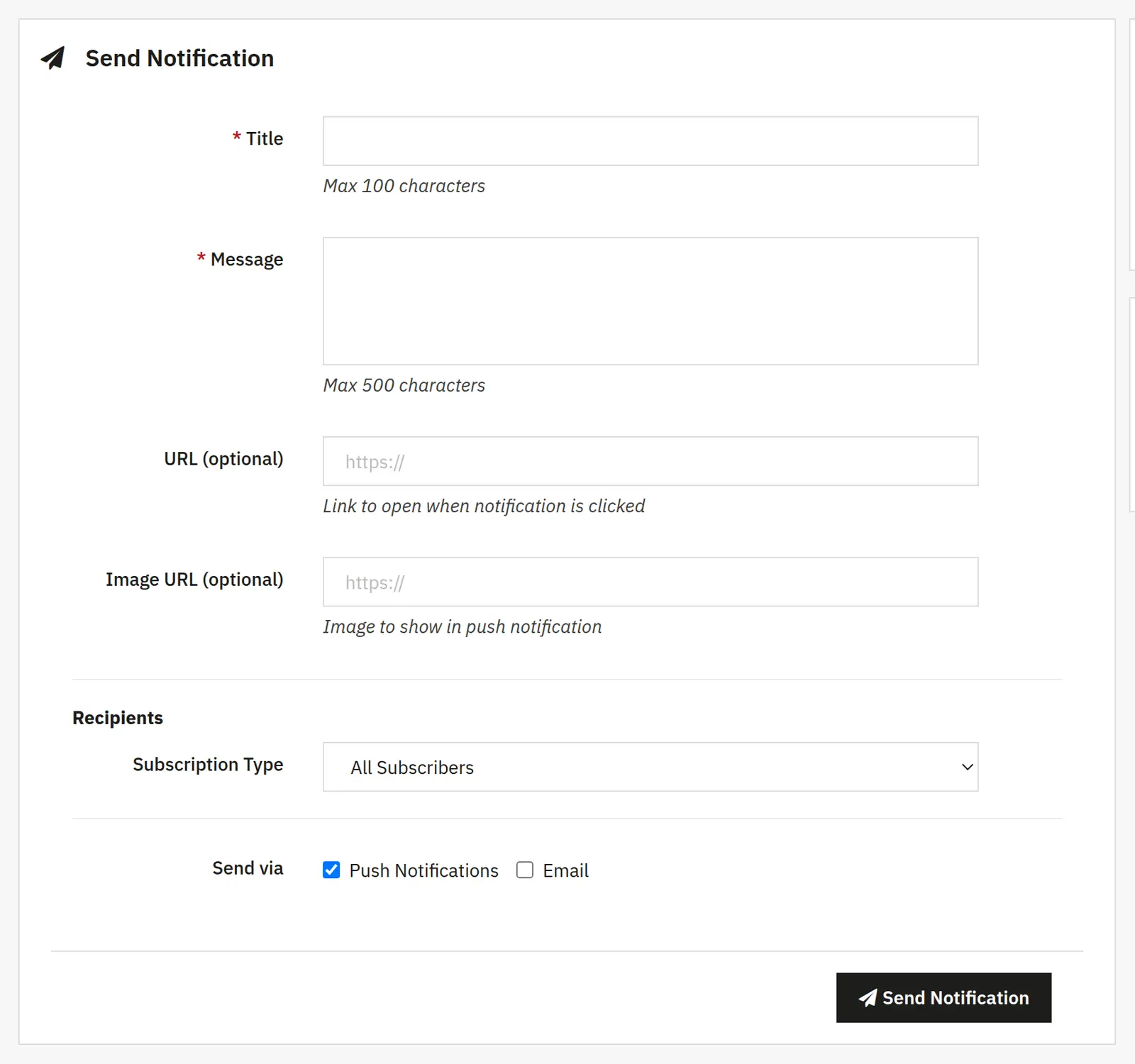
Message content
Title, message, link and image URL define the notification content. Check the target address and image availability before sending.
Recipients and channels
You pick recipients by subscription type, category or product, then the push and e-mail channels. The sending scope depends on the subscriptions available for each channel.
Automations

04 / Automations

Automations

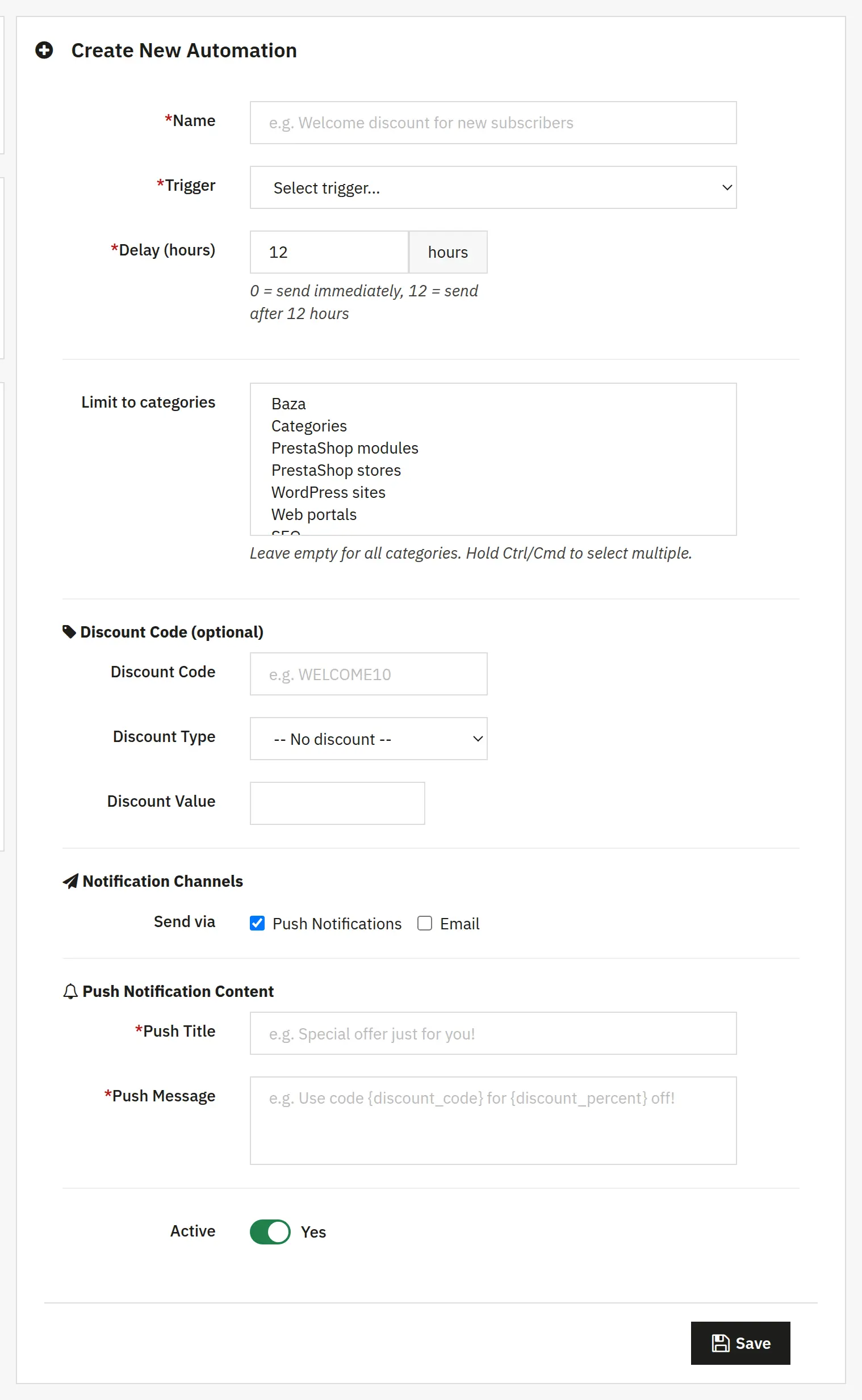
Trigger and delay
The name identifies the automation, the active switch turns it on, the trigger defines the event, and the delay in hours sets the reaction time. Categories narrow its scope.
Promotion and messages
The code, type and value of the discount define the campaign offer. The push title and message plus the e-mail subject and HTML body are configured separately.
Subscriptions and templates

05 / Subscriptions and templates

Subscriptions and templates

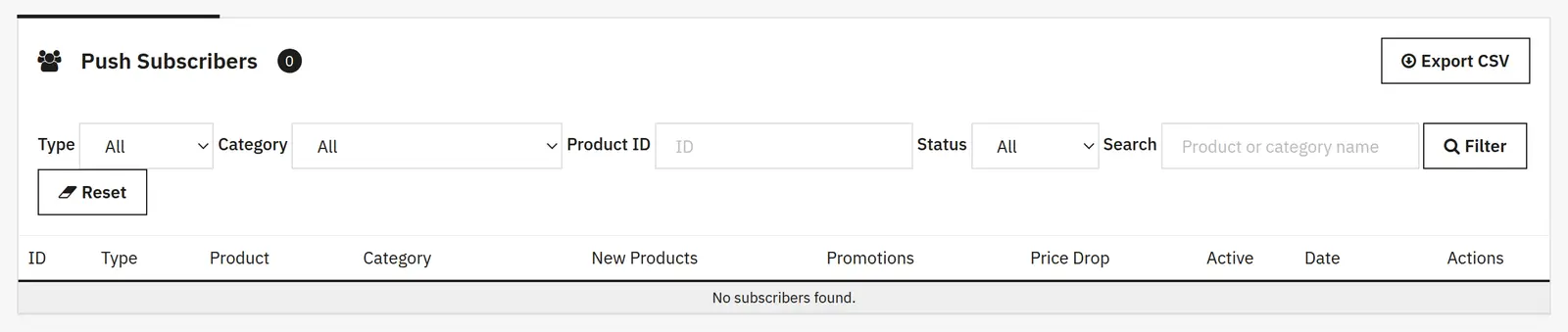
Subscription list
Filters for type, category, product ID and status, plus a search box, help you review the right group of subscriptions without touching other recipients.
E-mail templates and schedule
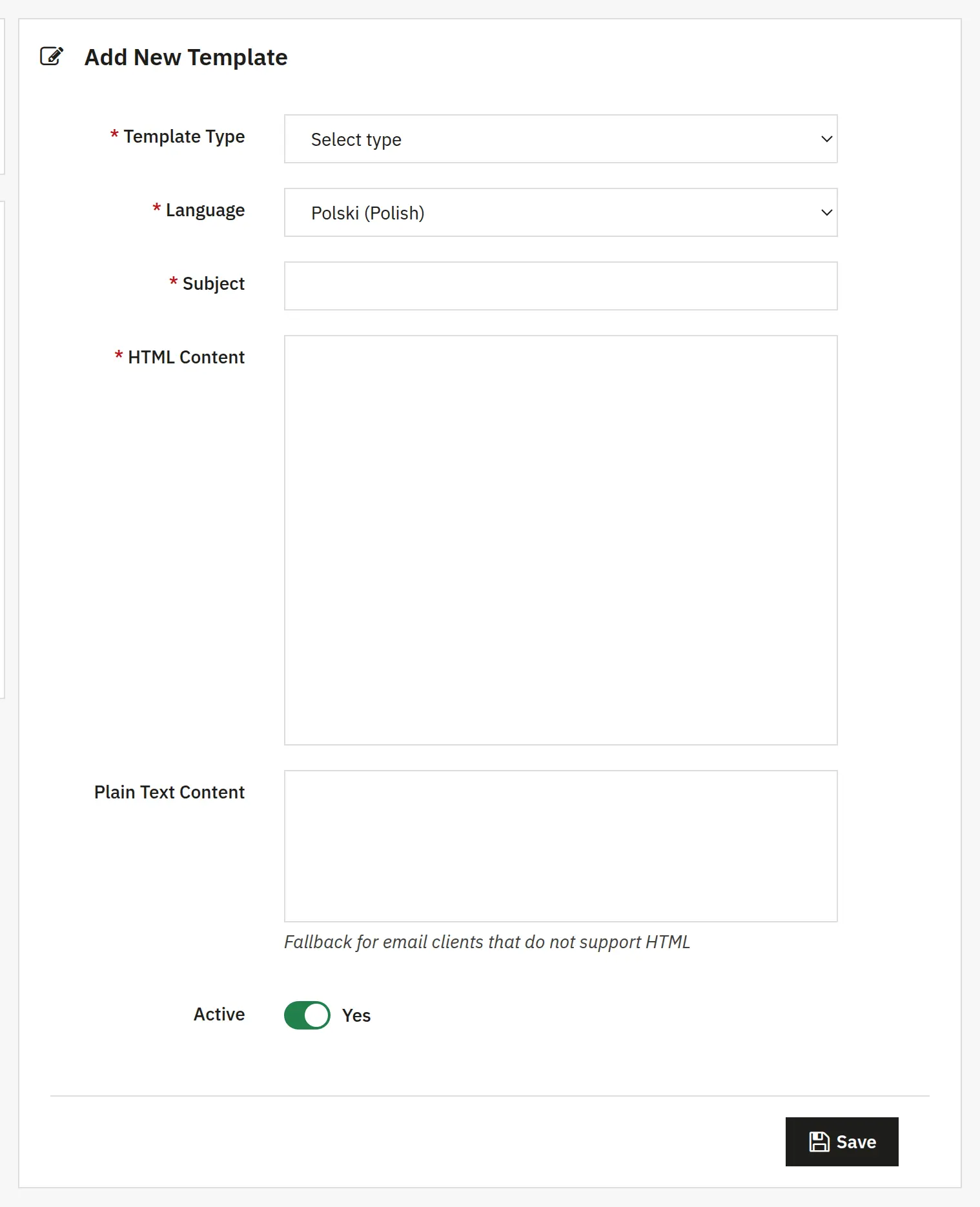
For each message type and language you set the subject, HTML, text version and active state. Automated tasks require calling the CRON URL from the server scheduler.
AJIT-PUSHNOTIFICATIONS

Data sheet

Version
1.0.0
Last update
2026-10-02
PHP version
7.4 – 8.3
Languages
DE, EN, ES, FR, IT, PL
Multistore
Not tested
Cron job
Yes
Core overrides
No
Theme compatibility
Any theme
External service required
Firebase (push notifications)
Source code
Open, no ionCube
Licence
1 shop (domain), no time limit
Updates
Free for 12 months
Technical support
Free for 6 months
Delivery time
Sent automatically by e-mail
VAT invoice
Yes
Returns
As stated in the terms
Package size
140 kB
Demo link
Link
Documentation
Link

No customer reviews for the moment.

Related Products ( 4 other products in the same category )