PrestaShop Analytics: GA4, Google Ads and Meta Pixel
Connect your shop analytics with GA4, Google Ads and an optional Meta Pixel. Check the sources of your orders and prepare a product feed for your campaigns.
- Version 1.9.7
- Last update 2026-10-02
- PrestaShop compatibility 1.7.6 – 9.x
- Multistore Not tested
- Cron job Yes
- Languages
- Delivery time Sent automatically by e-mail
€56.03 incl. VAT
Installation ⓘLet me install the module for you. I will install it, test it and verify that it works correctly.
Technical support
Domain ⓘEnter the URL of the domain where the module will be installed.
| Product price | |
| Selected options | |
| Total |
PrestaShop analytics: GA4, Google Ads and Meta Pixel
Revenue alone does not tell you which campaign generated it. With traffic sources scattered across Google, Meta, TikTok, marketplaces, price comparison sites and AI assistants, the standard referrer quickly stops being enough.
Available languages:

![]()
AJIT Analytics & Ads builds an attribution layer directly in PrestaShop. Source information appears on the order card, and the panel also shows aggregated data and a monthly trend.
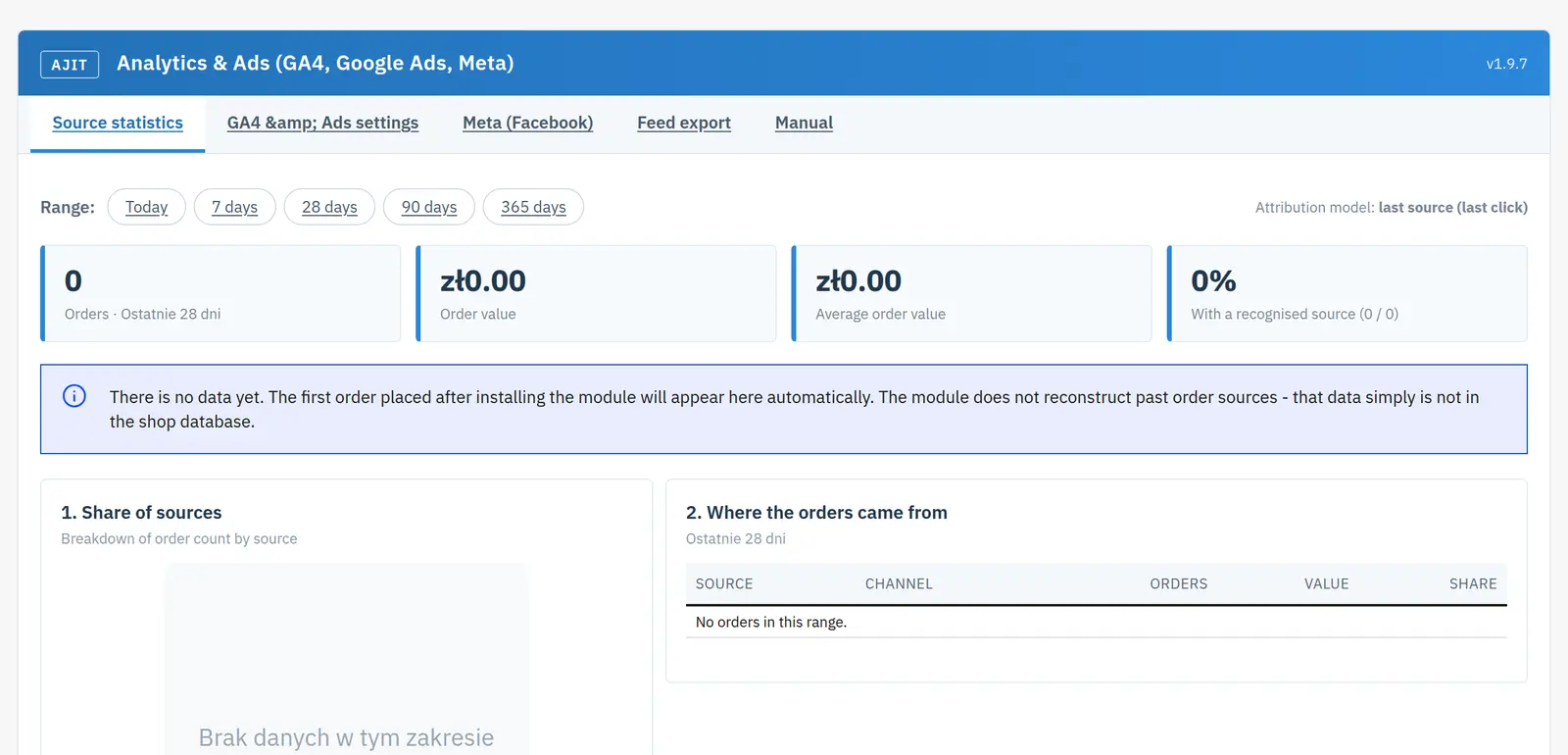
Key module capabilities
- order source attribution in the BO
- gclid / gbraid / wbraid / msclkid / fbclid / ttclid
- UTM and referrer classification
- price comparison sites, marketplaces and AI as separate source classes
- GA4 gtag with e-commerce events
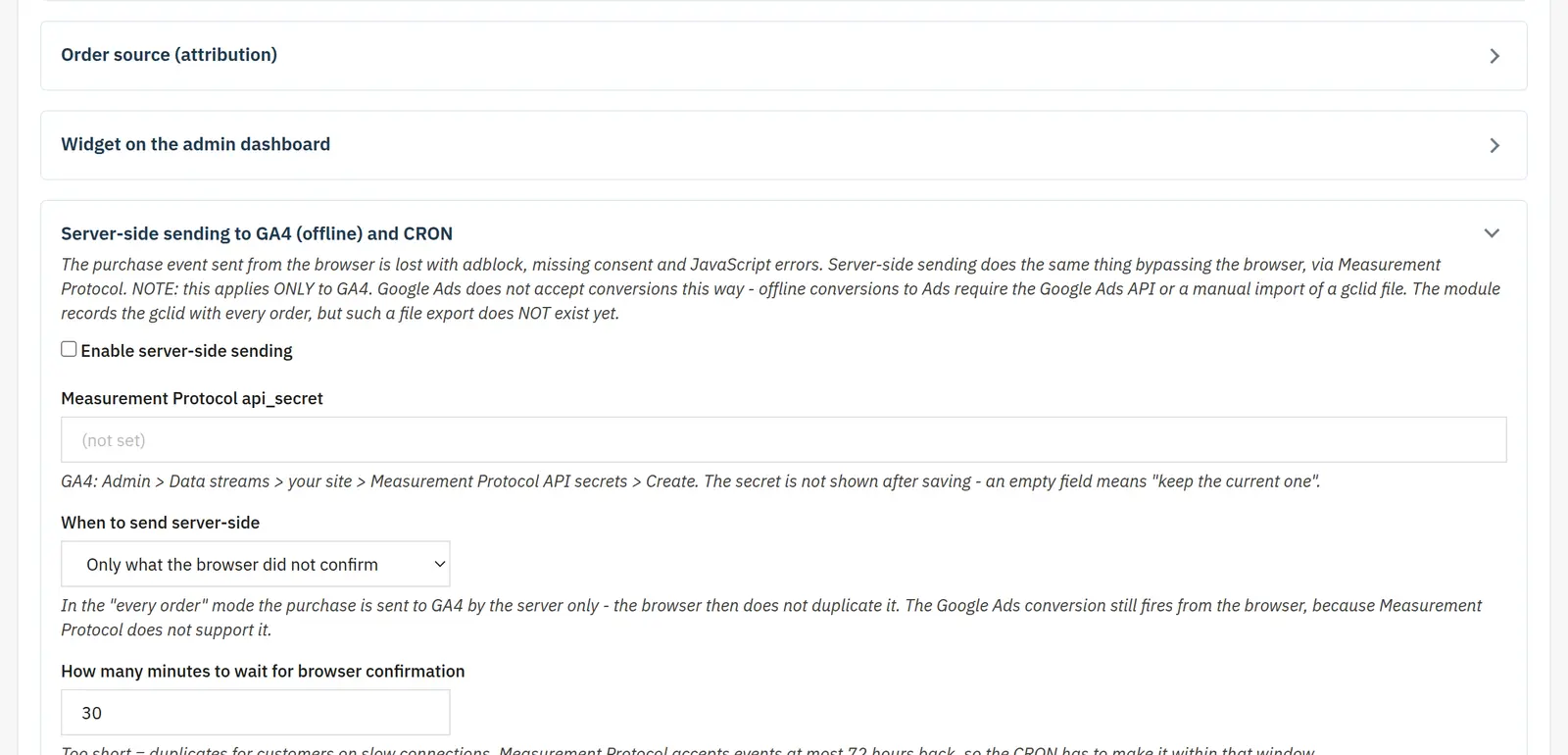
- GA4 Measurement Protocol with queue and retry
- Google Ads conversion tracking
- refund by status
- own XML Merchant feed + remarketing
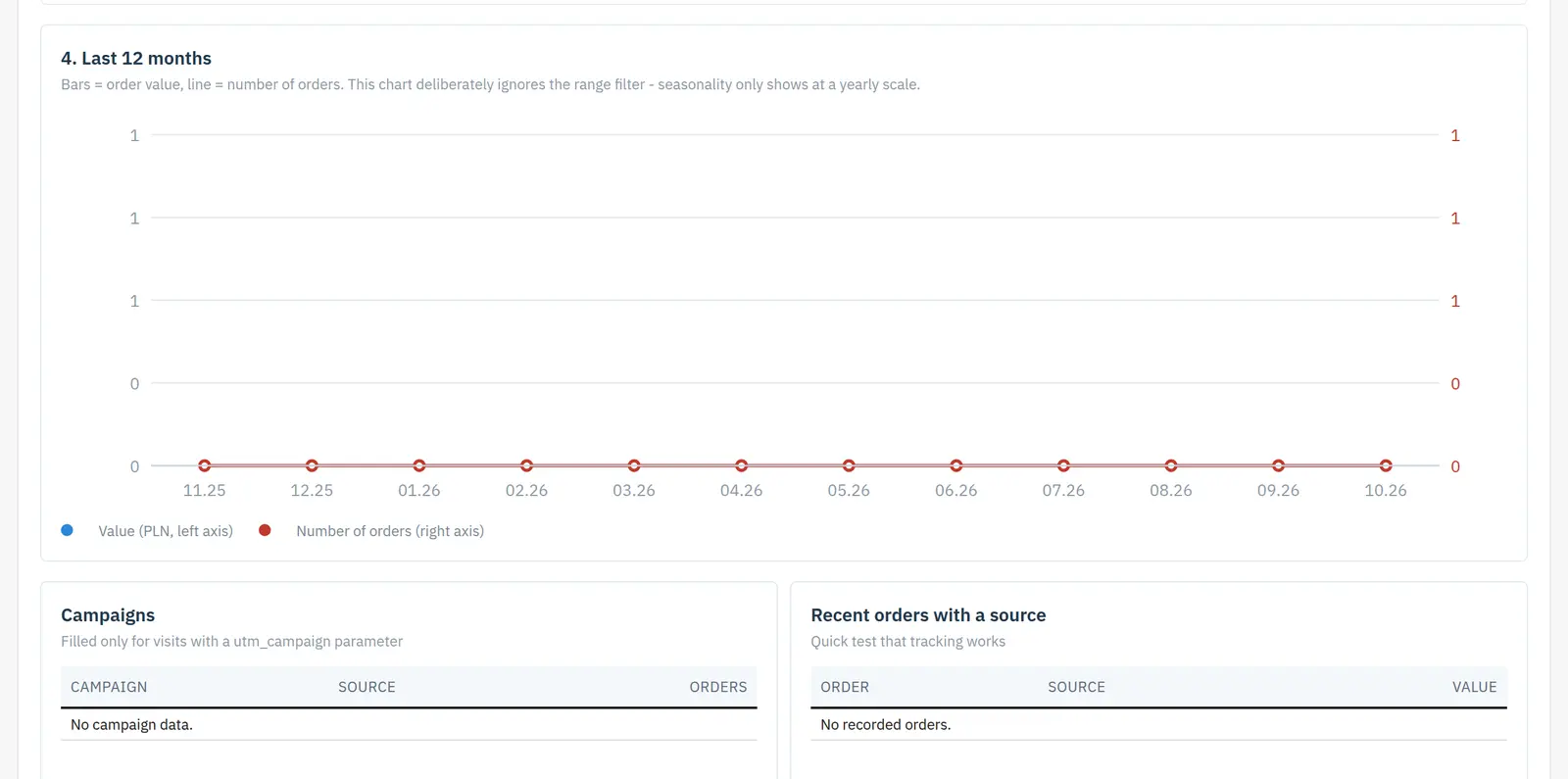
- dashboard and monthly trend
- Consent Mode

Attribution based on click IDs, UTM and referrer
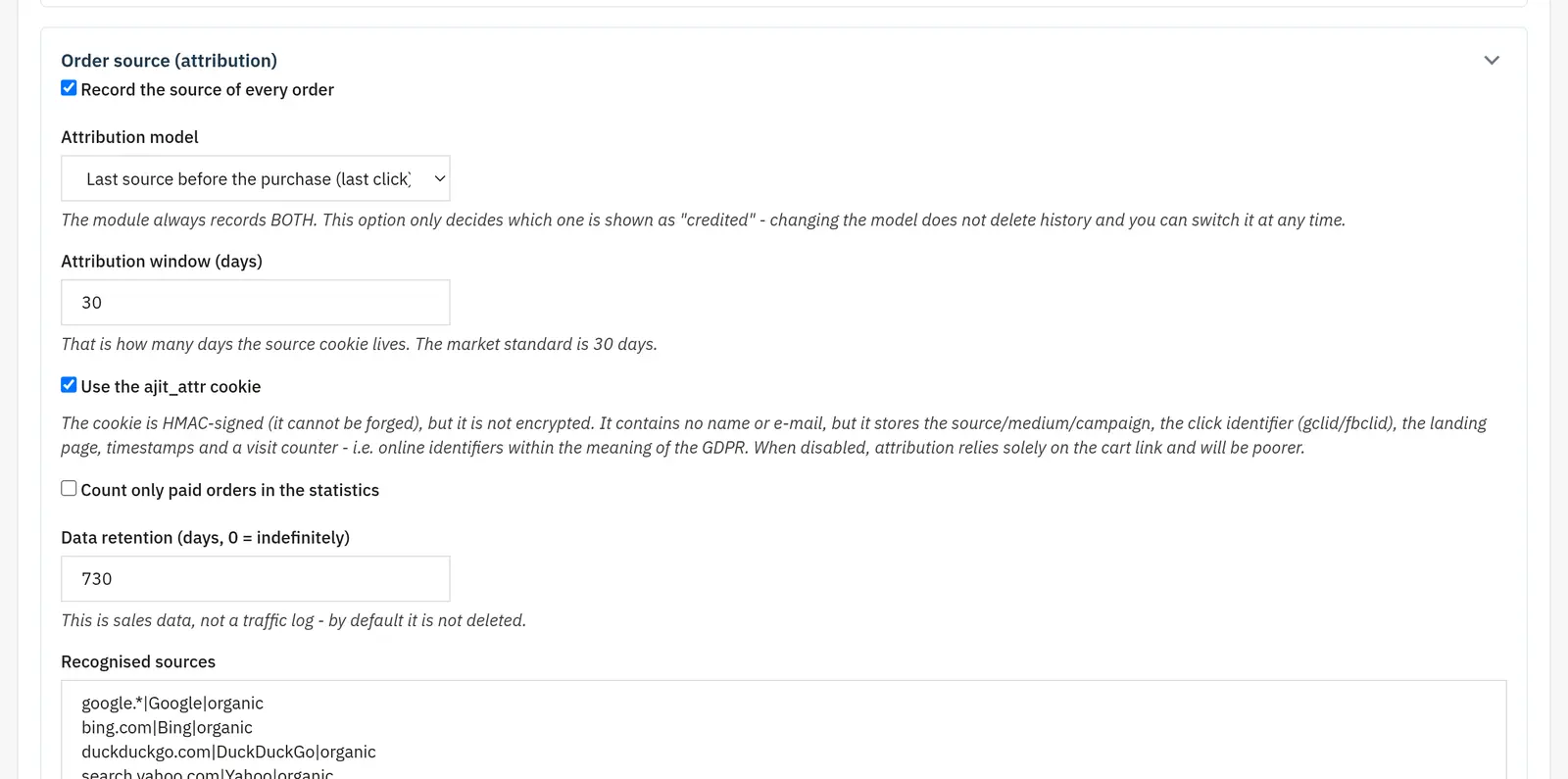
The module recognizes gclid, gbraid, wbraid, msclkid, fbclid and ttclid, among others, as well as UTM parameters and the referrer. Hosts are classified as price comparison sites, marketplaces and AI sources, among other classes, and payment gateways can be excluded so they do not break attribution.
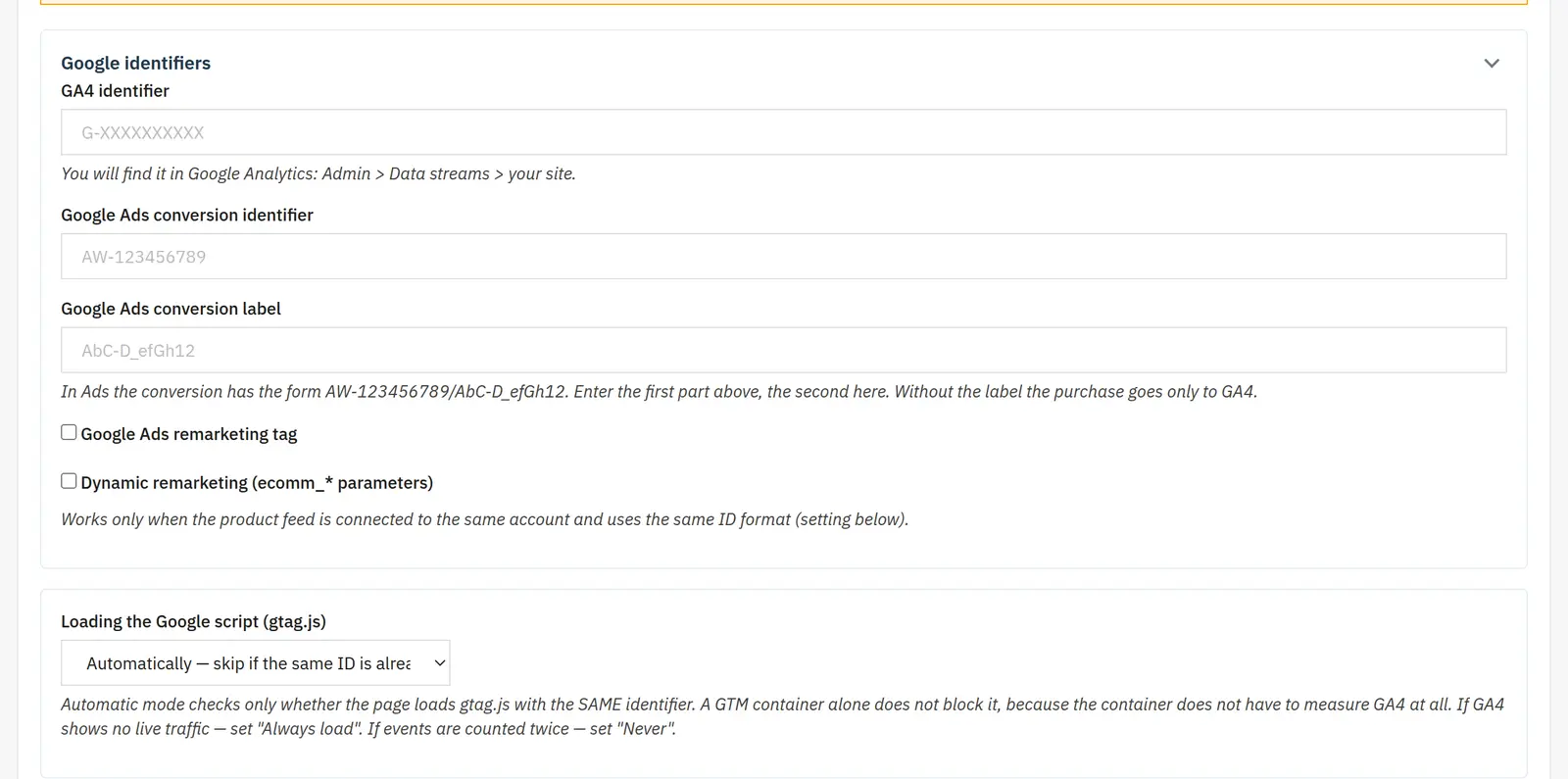
GA4 on the browser and server side
The gtag integration supports selectable e-commerce events, including view_item, add_to_cart, purchase and search. Events can also be sent server-side via the Measurement Protocol with a queue, retries and a GA4 status visible on the order list.
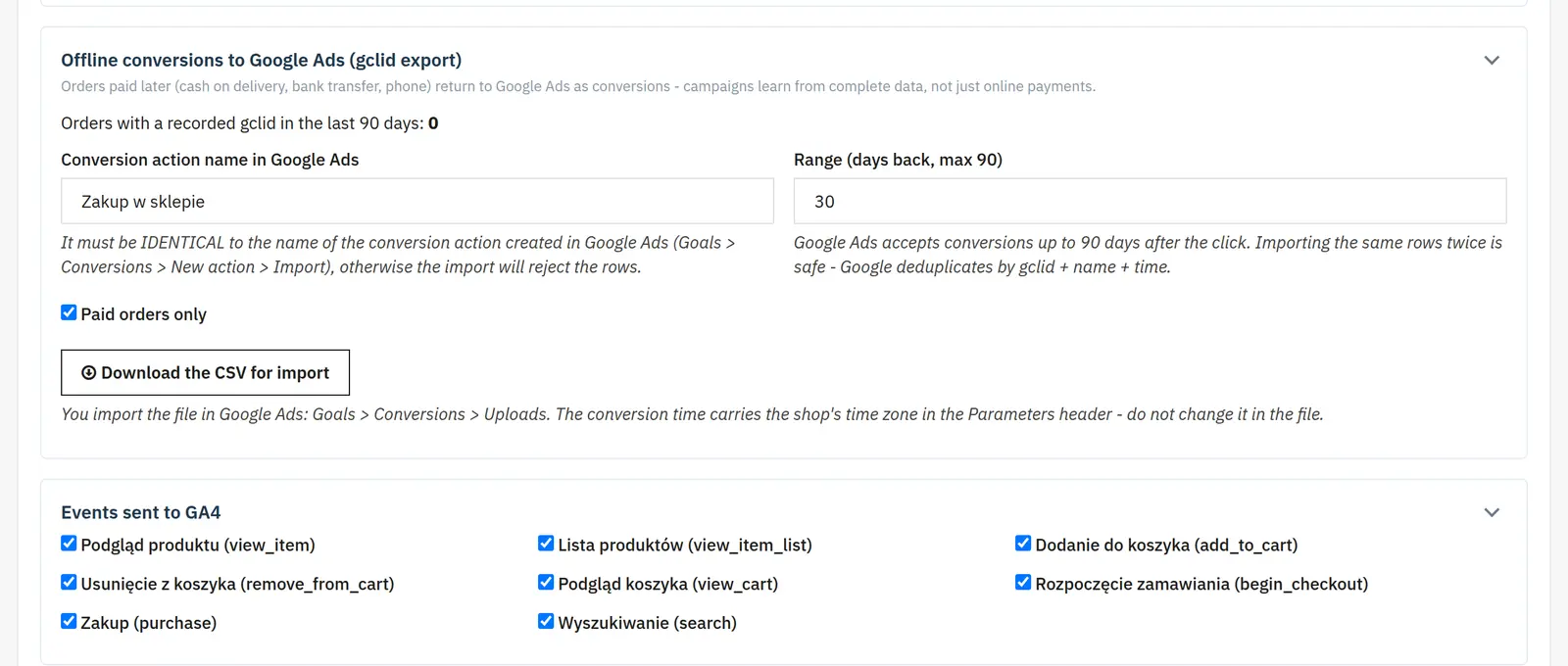
Google Ads and refund
The module supports Google Ads conversion tracking gated by channel and a refund event triggered by a selected order status.
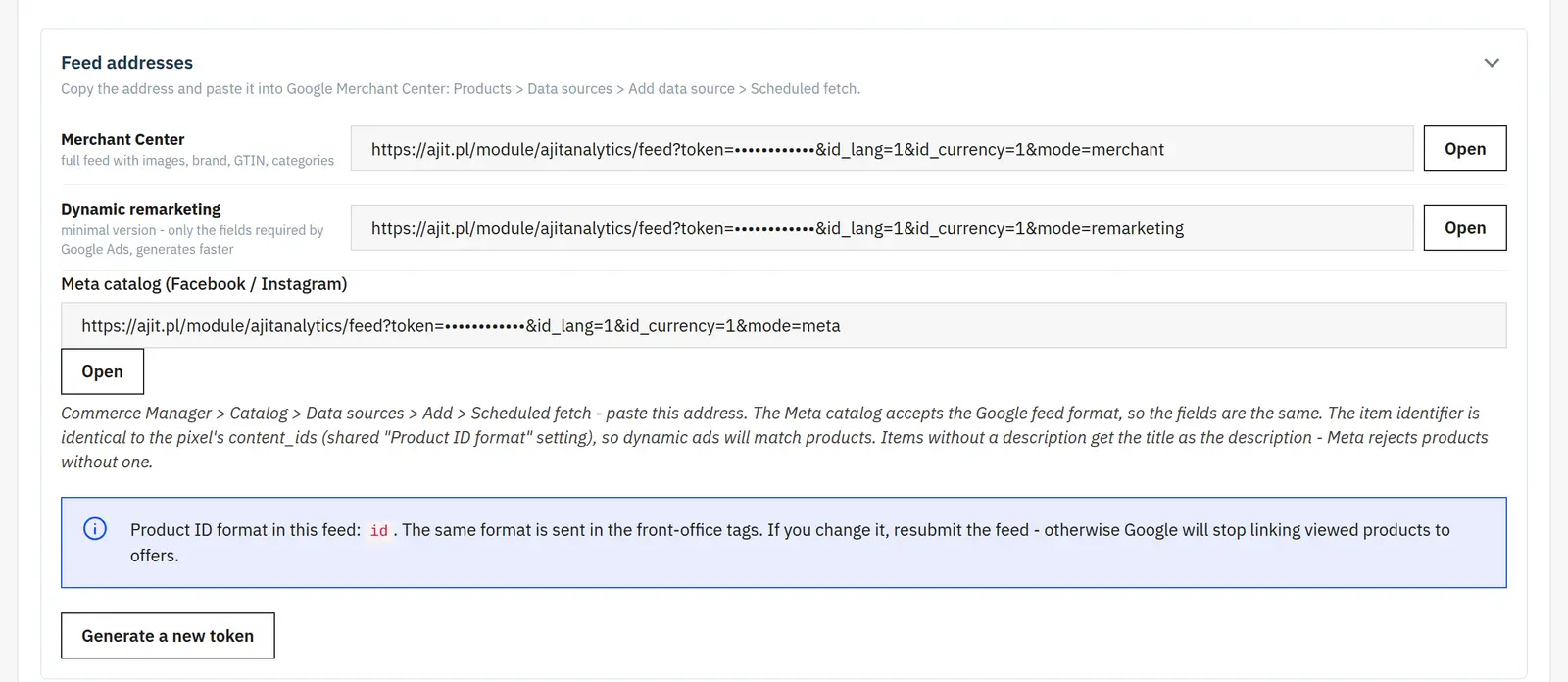
Own Merchant feed and remarketing
The XML feed is generated as a stream by XMLWriter, can carry a token in the URL, and keeps a consistent item_id between tags and the feed.
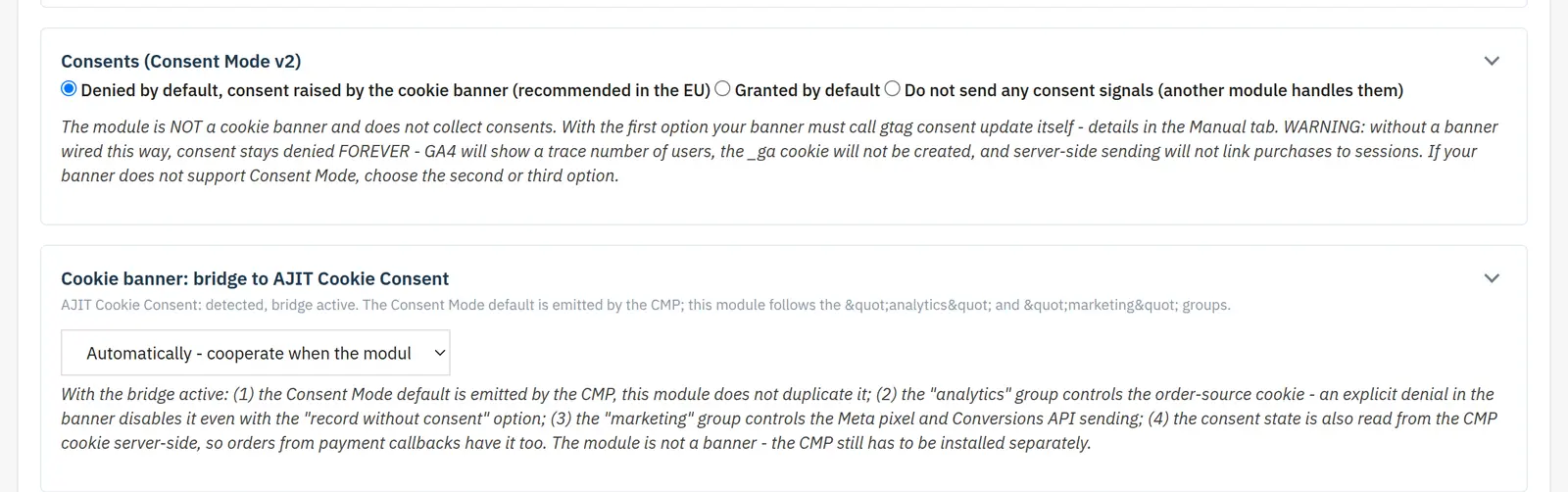
Reports and Consent Mode
A statistics tile can appear on the Back Office dashboard, and reports use lightweight inline SVG charts. The module also respects Consent Mode.
Who is this module for?
The solution is intended for stores running paid campaigns and multi-channel marketing that want sales source information in their own Back Office as well, not only in external panels.
FAQ
Does the module recognize Meta and TikTok ads?
It recognizes fbclid and ttclid, among others, as well as a range of click IDs from other platforms.
Does it send purchase to GA4 server-side?
It can send events via the Measurement Protocol, with a queue and a retry mechanism.
Does it have a feed for Google Merchant Center?
Yes. It generates its own streaming XML feed, which can be used for Merchant and remarketing.
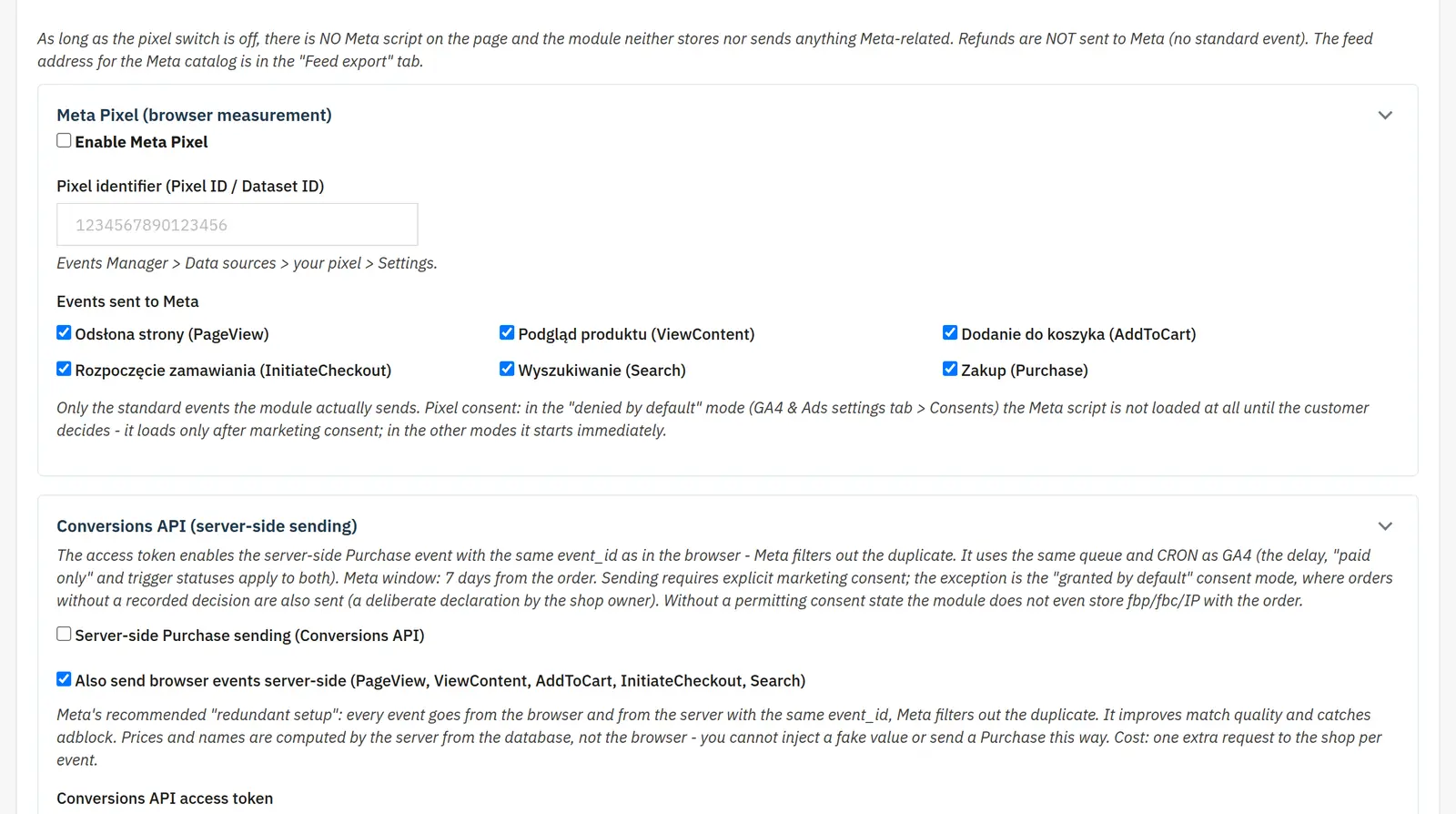
What can you set in the module panel?

01 / Meta Pixel and Conversions API
Meta Pixel and Conversions API
- Pixel and events
- You enable the integration, enter the Pixel or Dataset ID and pick the events. This lets you limit measurement to the actions your campaigns need.
- Server-side sending
- You separately enable Purchase and the browser events relayed through the server: PageView, ViewContent, AddToCart, InitiateCheckout and Search. The access token authorizes the connection, and the Graph API version points to the Meta interface.
- Testing and data matching
- The test event code and an order number help you verify the integration. Advanced matching sends hashes of customer data; hashing does not mean the data no longer requires proper consent management.

02 / Google Analytics and Google Ads
Google Analytics and Google Ads
- Service identifiers
- You enter the GA4 ID, the Google Ads conversion ID and its label. The gtag.js loading switch covers the case where another part of the store already adds the library.
- Remarketing and product identifiers
- Dynamic remarketing adds ecomm_* parameters. You choose the product ID, the product-with-combination ID or the reference; the format should match the feed, and references must be unique.
- Server-side GA4
- You enable sending, enter the API secret, and choose the trigger and how long to wait for browser confirmation. The paid-orders filter and the selected payment and refund statuses define the handled cases. The CRON schedule and single-order resend support the transmission workflow.

03 / Consent and traffic sources
Consent and traffic sources
- Default consent
- You choose denied, granted, or management by another module. The cookie name and the strings marking granted or denied analytics and marketing consent let you match the banner you use.
- Attribution
- You enable source recording and choose the model and the attribution window length. The list of recognized sources and the excluded payment domains help avoid treating a return from the gateway as a new acquisition channel.
- Privacy and diagnostics
- You can make the attribution cookie depend on consent. Retention sets how long data is stored, with 0 disabling deletion. Diagnostic mode helps you check source assignment; the paid-orders filter narrows sales statistics.

04 / Reports and export
Reports and export
- Funnel and abandoned carts
- Separate switches activate reporting. The number of inactive hours defines abandonment, retention limits how long the flags are stored, and the known-customers filter narrows the analysis.
- Dashboard tile
- You enable the summary and set the date range and the number of sources shown. This is a report view setting, not a change to how the whole history is calculated.
- Google Ads offline conversions
- The conversion action name must match your Google Ads configuration. You choose an export period of up to 90 days and, optionally, paid orders only.

05 / Product feed
Product feed
- Offer scope
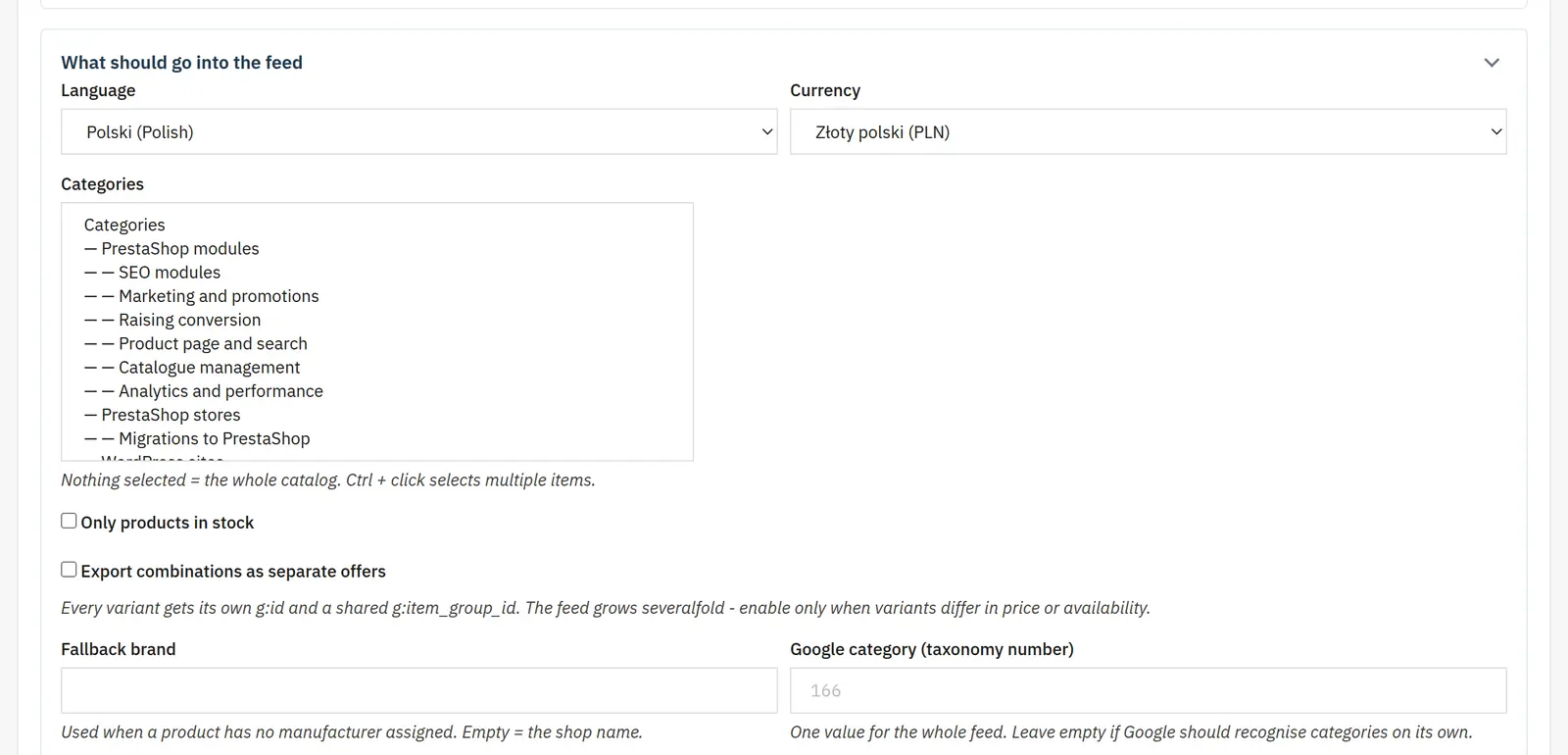
- Language, currency and categories define the feed content. You can limit it to available products and split combinations into separate items.
- Brand and classification
- The fallback brand fills in when the manufacturer is missing. The default Google category and per-category assignments keep product classification in order.
Data sheet
- Version
- 1.9.7
- Last update
- 2026-10-02
- PrestaShop compatibility
- 1.7.6 – 9.x
- PHP version
- 7.4 – 8.3
- Languages
- DE, EN, ES, FR, IT, PL
- Multistore
- Not tested
- Cron job
- Yes
- Core overrides
- No
- Theme compatibility
- Any theme
- External service required
- Meta Conversions API (optional)
- Source code
- Open, no ionCube
- Licence
- 1 shop (domain), no time limit
- Updates
- Free for 12 months
- Technical support
- Free for 6 months
- Delivery time
- Sent automatically by e-mail
- VAT invoice
- Yes
- Returns
- As stated in the terms
- Package size
- 473 kB
- Demo link
- Link
- Documentation
- Link
No customer reviews for the moment.