PrestaShop Category Product Order Synchronization
Transfer product order within categories between shops. The module supports source-side exports and manual or CRON imports.
- Version 1.0.7
- Last update 2026-10-02
- PrestaShop compatibility 1.7 – 9.x
- Multistore Not tested
- Cron job Yes
- Languages
- Delivery time Sent automatically by e-mail
€56.03 incl. VAT
Installation ⓘLet me install the module for you. I will install it, test it and verify that it works correctly.
Technical support
Domain ⓘEnter the URL of the domain where the module will be installed.
| Product price | |
| Selected options | |
| Total |
Product order in PrestaShop categories - synchronization
Transfer the product order in categories between stores. The module supports export on the source side and manual or CRON-based import.
Available languages:

![]()

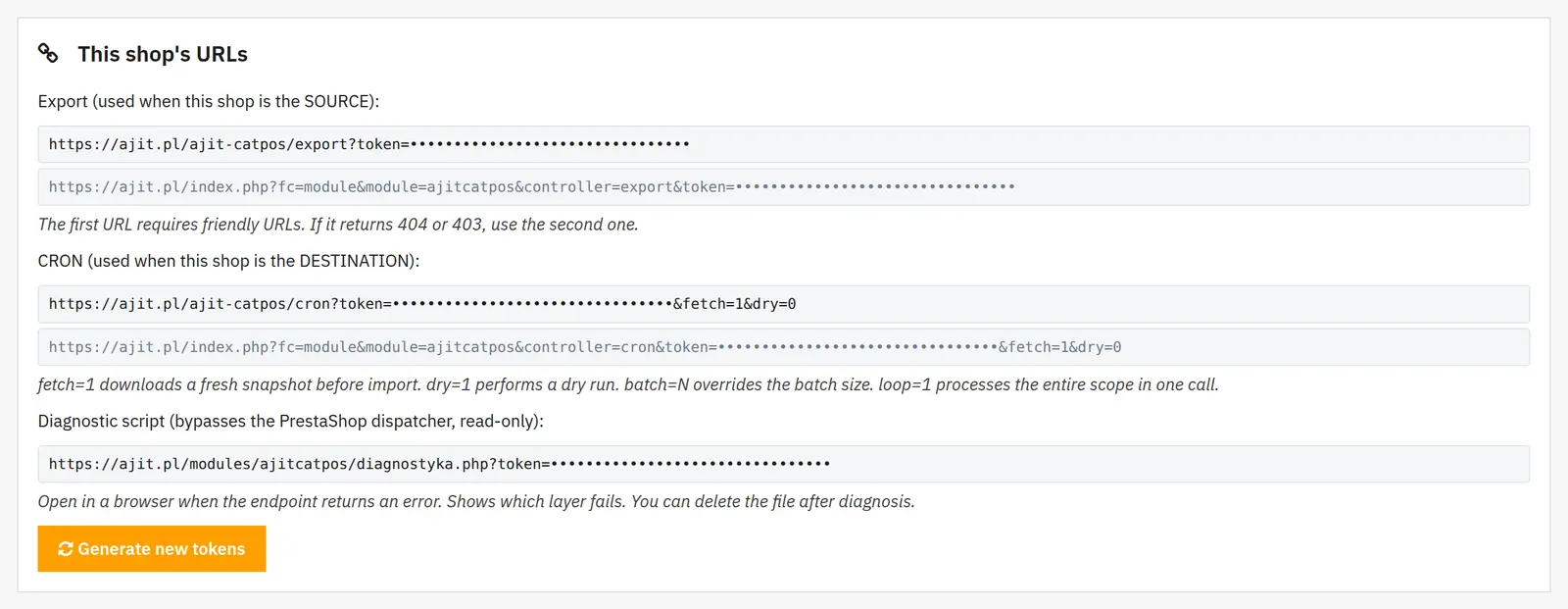
Product order export via URL
The source store exposes data on the product order in categories. This way, a manually arranged catalog order can be reused when moving the store.
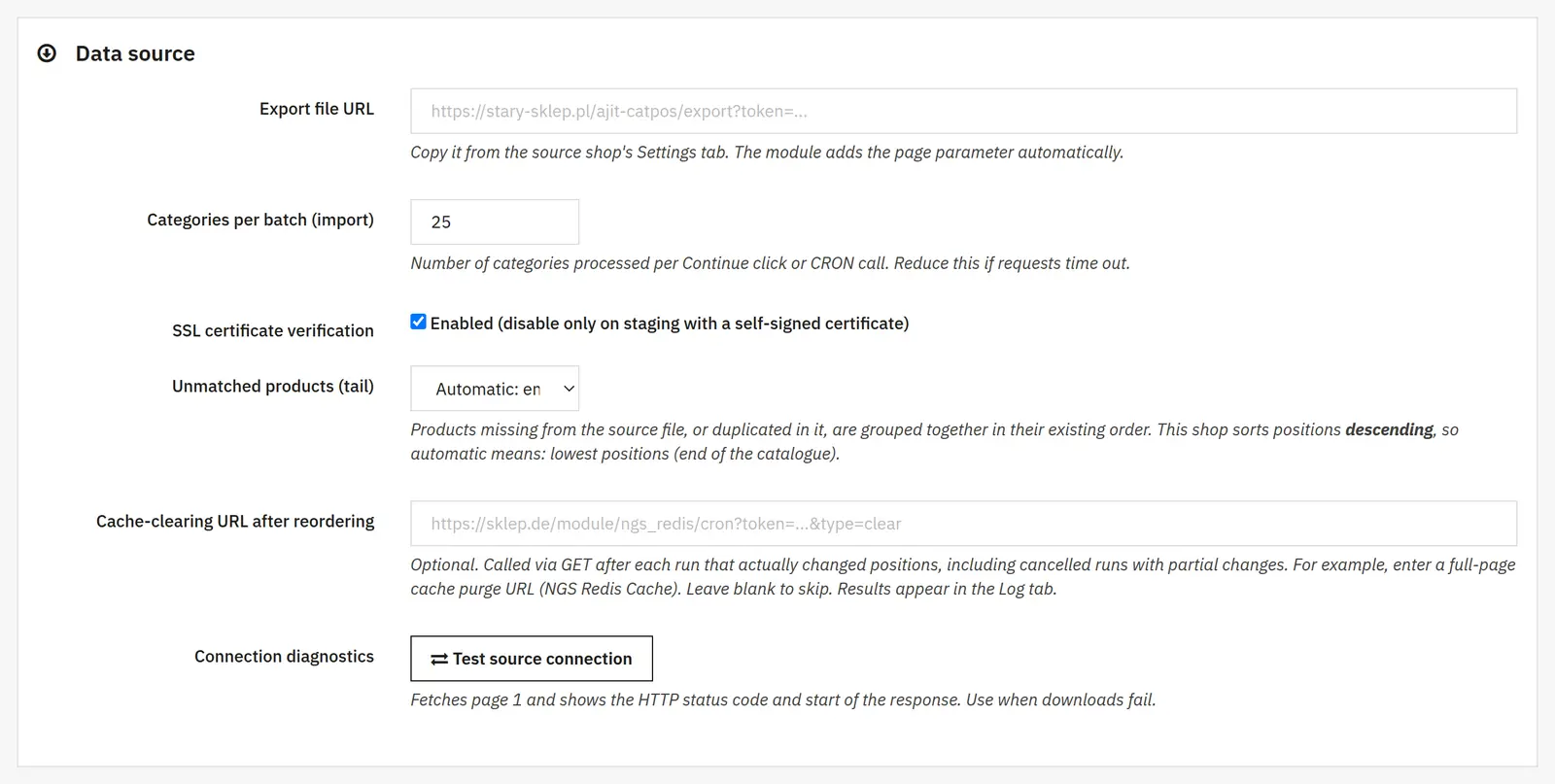
Import into the target store
On the target side, the import recreates the order based on the source data. It is a separate operation from creating descriptions, images and other product data.

Manual synchronization or a CRON schedule
Synchronization can be run manually or repeated via CRON. Before the first import, you need to establish the correct mapping of products and categories between the stores.
Who is this module for?
It is a solution for stores moving a catalog from PrestaShop 1.7 to PrestaShop 9 and keeping the catalog order consistent.

What can you configure in the module panel?

01 / Synchronization source and target
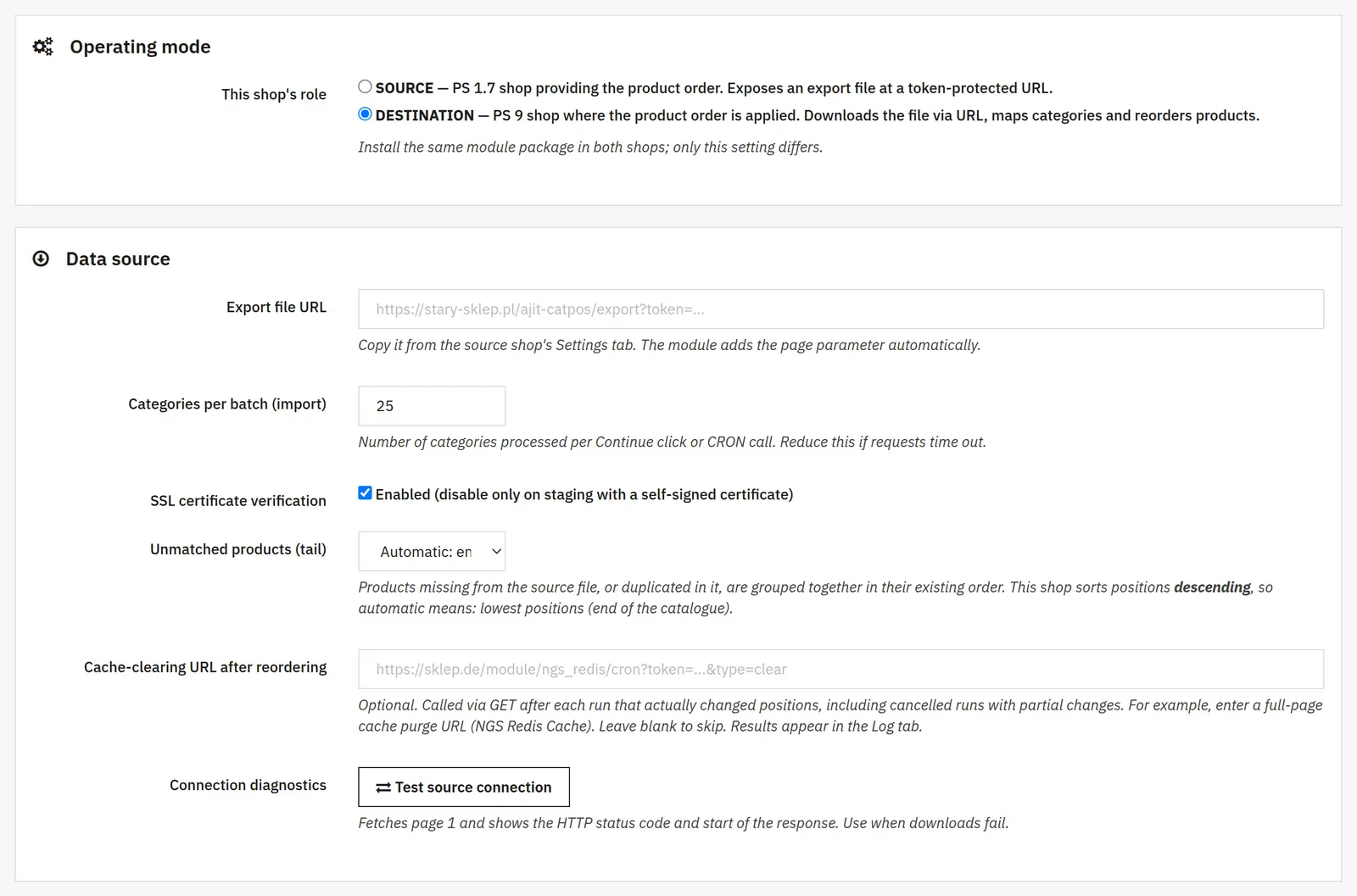
Synchronization source and target
- Store role
- The source exposes the product order, and the target fetches it and arranges its own catalog. Setting the role does not copy the products themselves.
- Export address and batch sizes
- The URL points to the source file. The number of categories per batch limits a single import, and the number of categories per page controls export chunking.
- SSL and HTTP
- Certificate verification checks the server identity. Allowing HTTP permits an unencrypted connection; as a rule, use HTTPS with a valid certificate.

02 / Mapping and import
Mapping and import
- Categories and scope
- You choose the full scope or selected categories. The unmapped filter helps find items that require matching between the stores.
- Dry run
- Calculates the planned changes and saves the result in the log, but does not save the new order in the database.
- Unmatched products
- Defines how to handle products that could not be found in the source when arranging the end of the list.
- Continue to the end
- Allows processing further batches instead of stopping after a single portion of categories.

03 / Operation control
Operation control
- Diagnostics and cache clearing
- Diagnostics helps you check the connection to the source. An optional URL triggers cache clearing after the products are arranged; it must be an address intended for this operation.
Data sheet
- Version
- 1.0.7
- Last update
- 2026-10-02
- PrestaShop compatibility
- 1.7 – 9.x
- PHP version
- 7.4 – 8.3
- Languages
- DE, EN, ES, FR, IT, PL
- Multistore
- Not tested
- Cron job
- Yes
- Core overrides
- No
- Theme compatibility
- Any theme
- External service required
- Not required
- Source code
- Open, no ionCube
- Licence
- 1 shop (domain), no time limit
- Updates
- Free for 12 months
- Technical support
- Free for 6 months
- Delivery time
- Sent automatically by e-mail
- VAT invoice
- Yes
- Returns
- As stated in the terms
- Package size
- 189 kB
- Demo link
- Link
- Documentation
- Link
No customer reviews for the moment.