Remind customers about abandoned carts and unfinished payments. Use the CRON queue, coupons and recovered sales reporting.
Available languages:
Handling abandoned carts and unfinished payments
The module distinguishes an abandoned cart from an order whose payment was not completed. Messaging can therefore match the stage at which the customer stopped shopping.
Sending queue triggered by CRON
Tasks go into a queue handled by CRON. A schedule on the server lets you run the process regularly and keep it separate from the administrator's daily work.
Coupons for recipients and attribution that accounts for discount cost
Coupons are prepared for individual recipients. Reporting includes the real cost of discounts, which helps assess campaign results in the context of recovered orders.
Who is this module for?
This is a solution for shops where customers often abandon their purchase before paying for the order.
Requirements and configuration
Sending must be configured in line with the consents customers have given and the shop's communication rules.
What can you set in the module panel?
01 / Operation settings
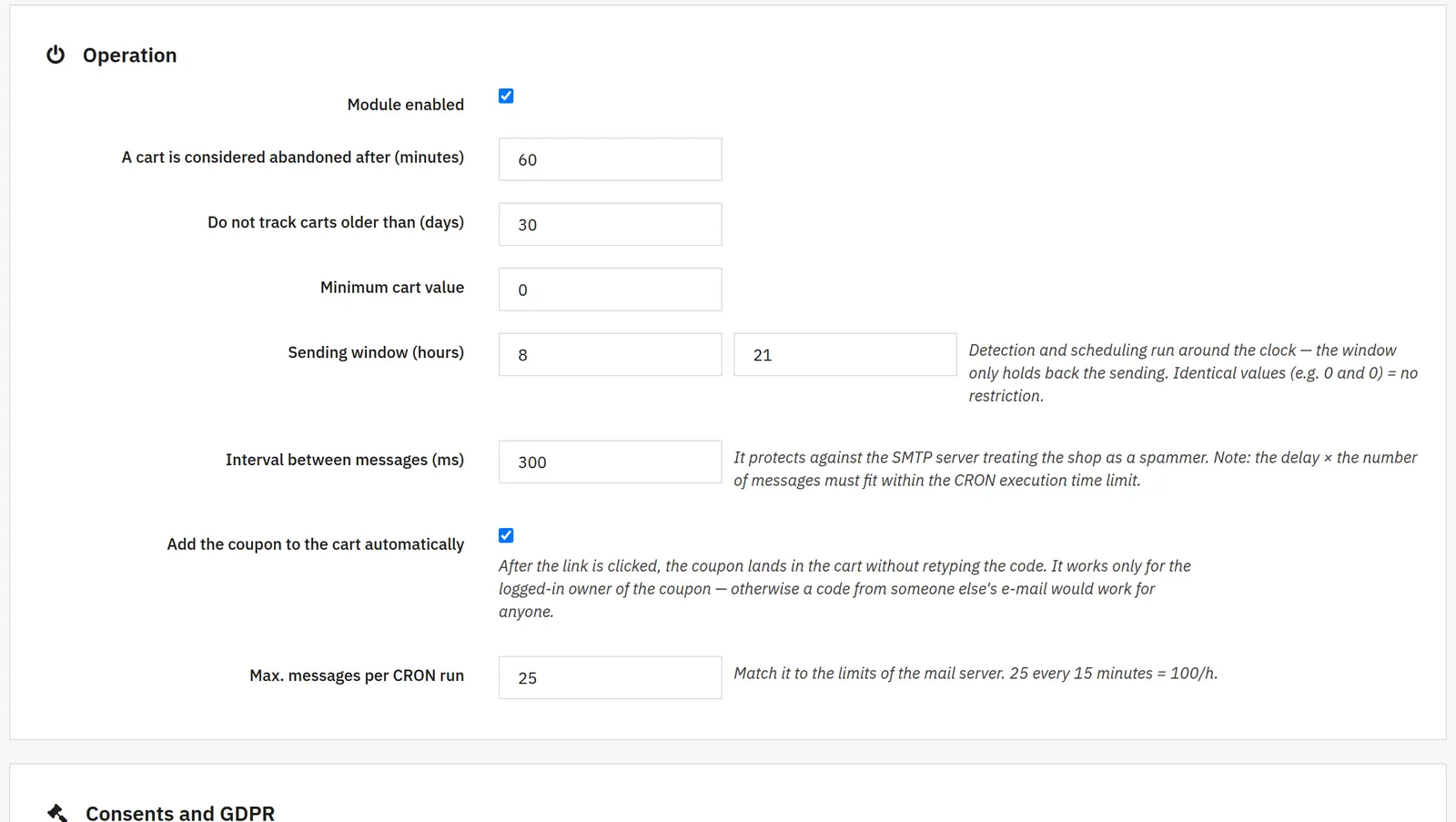
Operation settings
Activation and abandonment threshold
You set whether the module is active, the idle time needed for a cart to count as abandoned and the oldest carts included in tracking.
Cart value and sending window
The minimum skips small carts, and the hours define when messages may be sent.
Interval, CRON limit and automatic coupon
The interval spaces out consecutive messages, the limit caps a single run, and attaching the coupon automatically simplifies the return to the cart.
02 / Consents and storage
Consents and storage
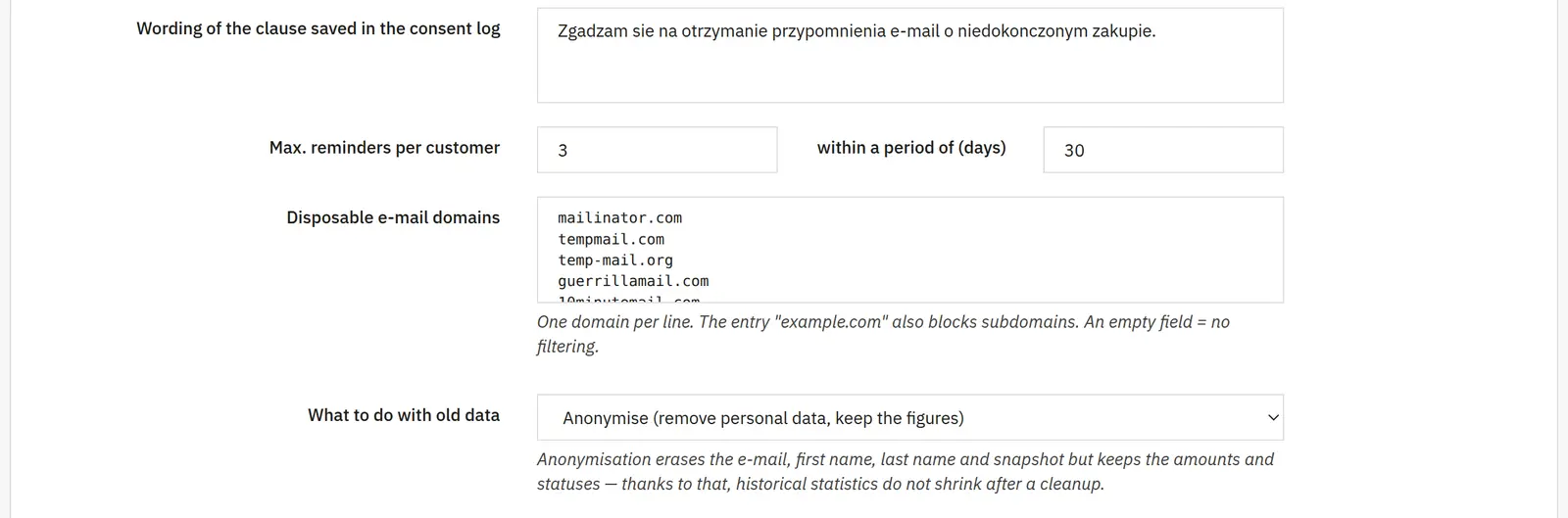
Recipients, clause and contact limit
You choose the permitted recipients, the wording of the clause that is stored and the maximum number of reminders per customer in a given period.
Disposable addresses and retention
A domain list limits the handling of temporary addresses. How old data is treated and the retention period determine how long it is kept.
E-mail in the popup and open pixel
You decide separately about collecting the address in the popup and recording message opens. These settings need to match the adopted communication approach and consents.
03 / Reminder chain
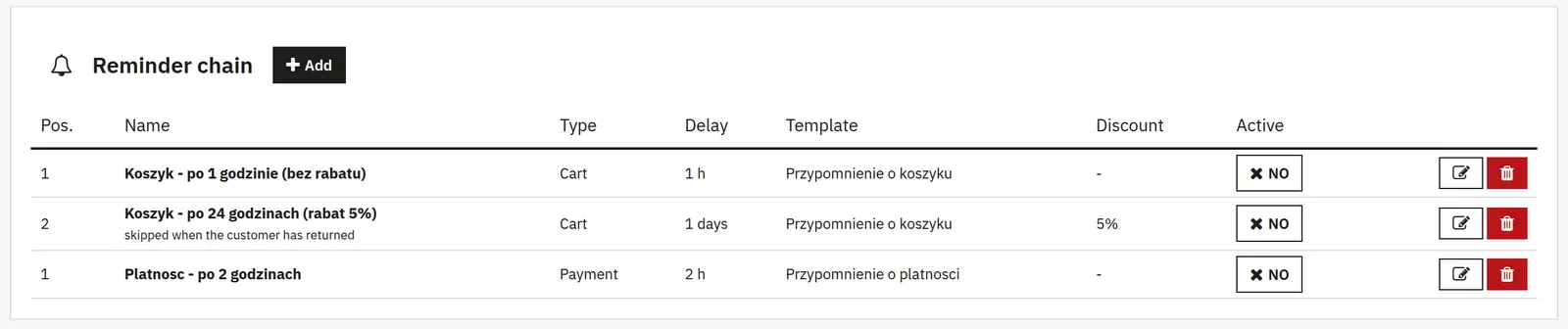
Reminder chain
Name, scope, position and delay
A step has its own name, abandonment type, order in the chain and waiting time before sending.
Template, channel and active state
You choose the content and the e-mail, push or SMS channel. Additional channels require configuration; SMS may incur a cost at the provider.
A/B test
You enable a second template and the percentage share of variant A to compare the results of two messages.
Segmentation
Categories, manufacturers, delivery countries and customer groups narrow down the recipients of a specific step.
Discount and conditions
You set the discount type and value, free shipping and the coupon validity. The conditions cover minimum and maximum value, having an account and skipping customers who have already returned.
04 / Unfinished payments
Unfinished payments
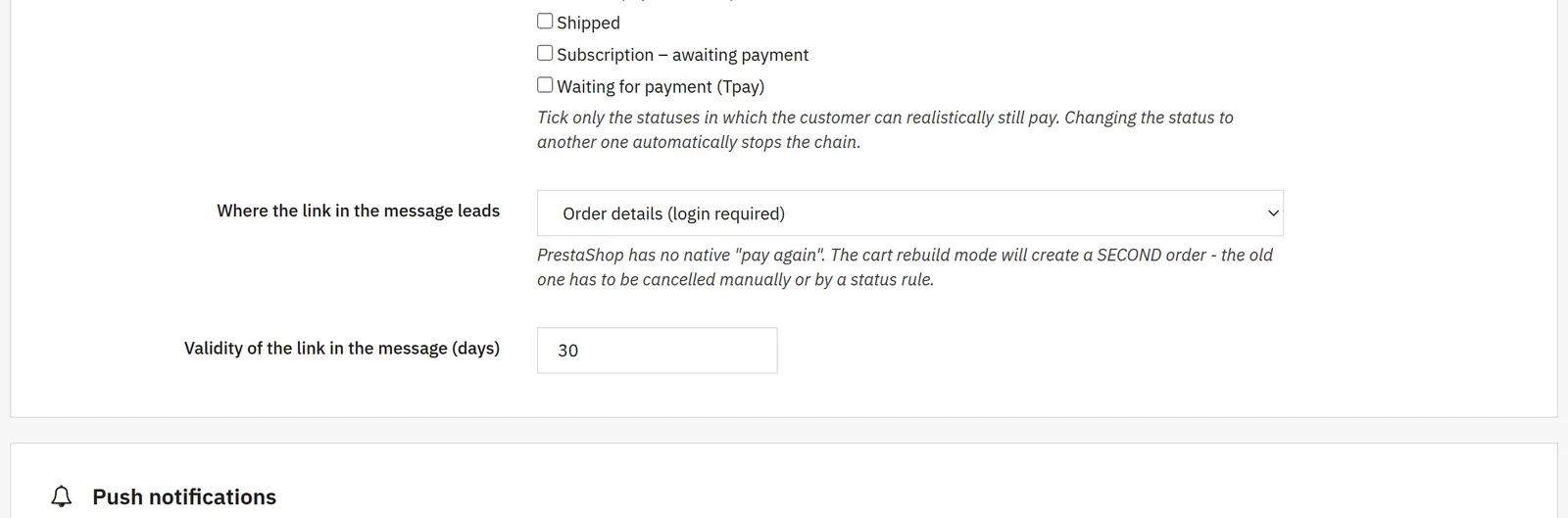
Statuses and return link
You indicate the states treated as unpaid, the target of the link in the message and its validity.
05 / Push channel
Push channel
Keys and sender
You enable the channel and configure VAPID and the sender contact. The icon and time to live determine how the notification looks and how long it stays valid.
Consent request
A separate switch and delay decide whether the customer is asked on the site. Enabling the channel alone does not grant permission to send to a device.
06 / SMS channel
SMS channel
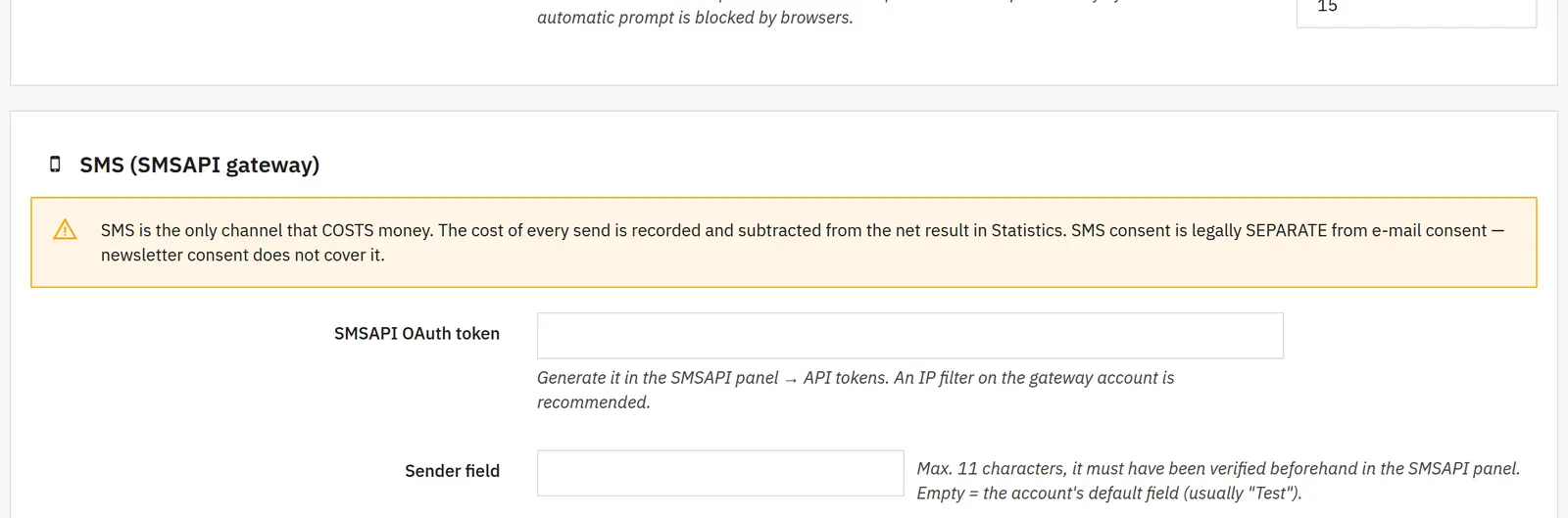
Provider and format
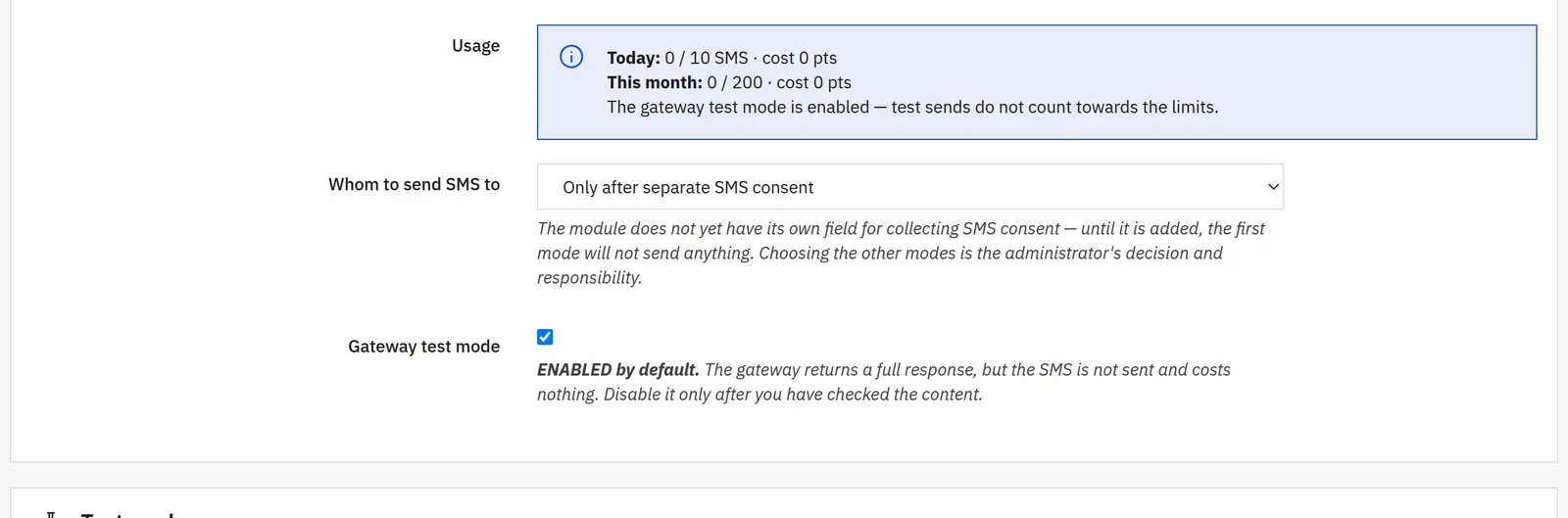
The SMSAPI token connects the service. The sender field, country prefix, part limit and character replacement set the message format and can affect the cost.
Links and limits
You can shorten links and attach an opt-out notice. Daily, monthly and per-cart limits plus a minimum cart value restrict sending.
Recipients and test mode
You decide who receives SMS messages and can run the gateway's test mode before the actual campaign.
07 / Bars and popups
Bars and popups
Type, position and trigger
You choose a bar or a popup, its placement or opening condition and the delay. The re-display time limits how often it appears.
Conditions and closing
You can require a non-empty cart and a minimum value, and provide a close button. The e-mail form applies to the popup for visitors who are not logged in.
Content and colors
You set the HTML, the button label, the e-mail placeholder, the clause and the message shown after sign-up. The background, the text and both button colors are independent.
08 / Templates and control
Templates and control
Message editor
A template has a name, active state, edit mode, subject, preheader, button, blocks or HTML and SMS content. Variables insert data from the cart being handled.
Preview and test address
The preview and a test send help check the content. A global test address can intercept messages instead of routing them to customers.
09 / Reports and CRON
Reports and CRON
Period, funnel and assumptions
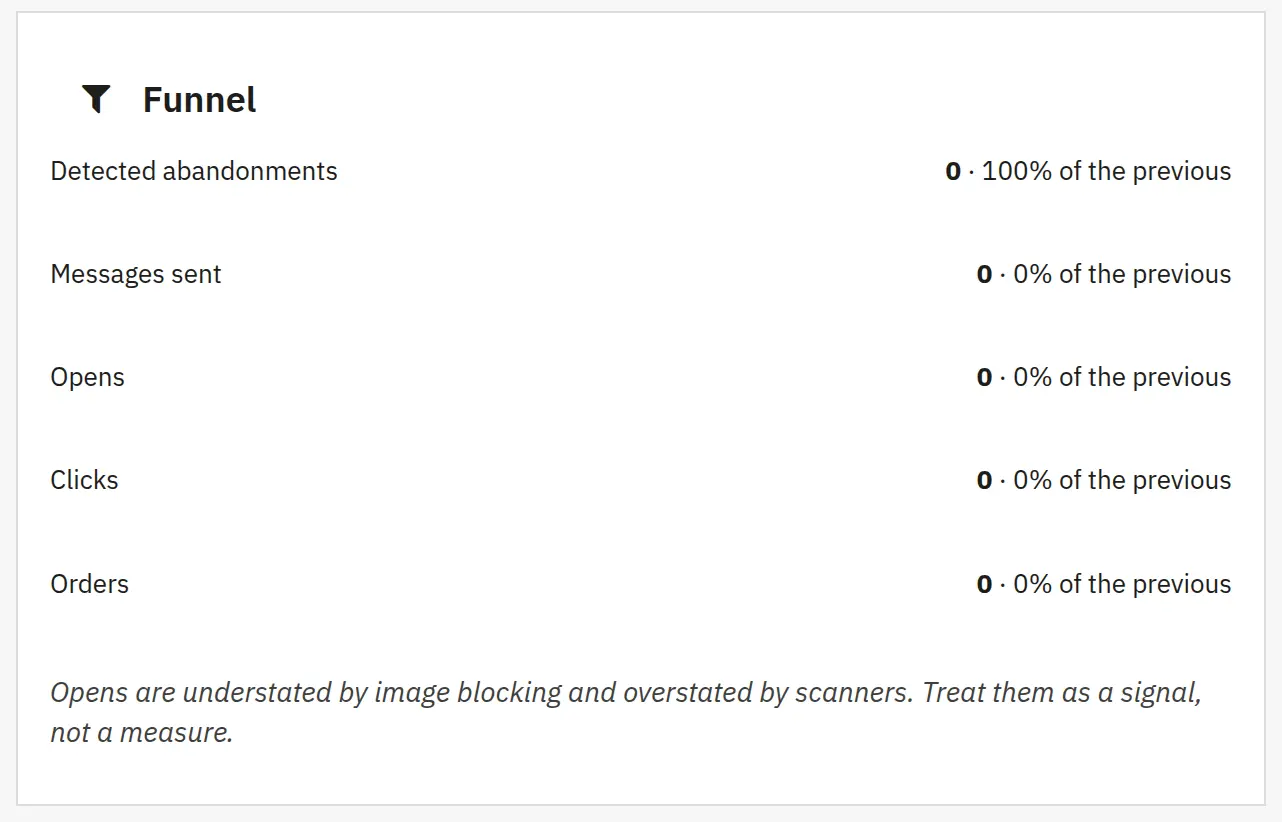
Reports show the effectiveness of steps, channels and A/B tests. The assumed conversion and average discount serve to estimate potential; they are not the result of actually recovered orders.
Counters, retention and diagnostics
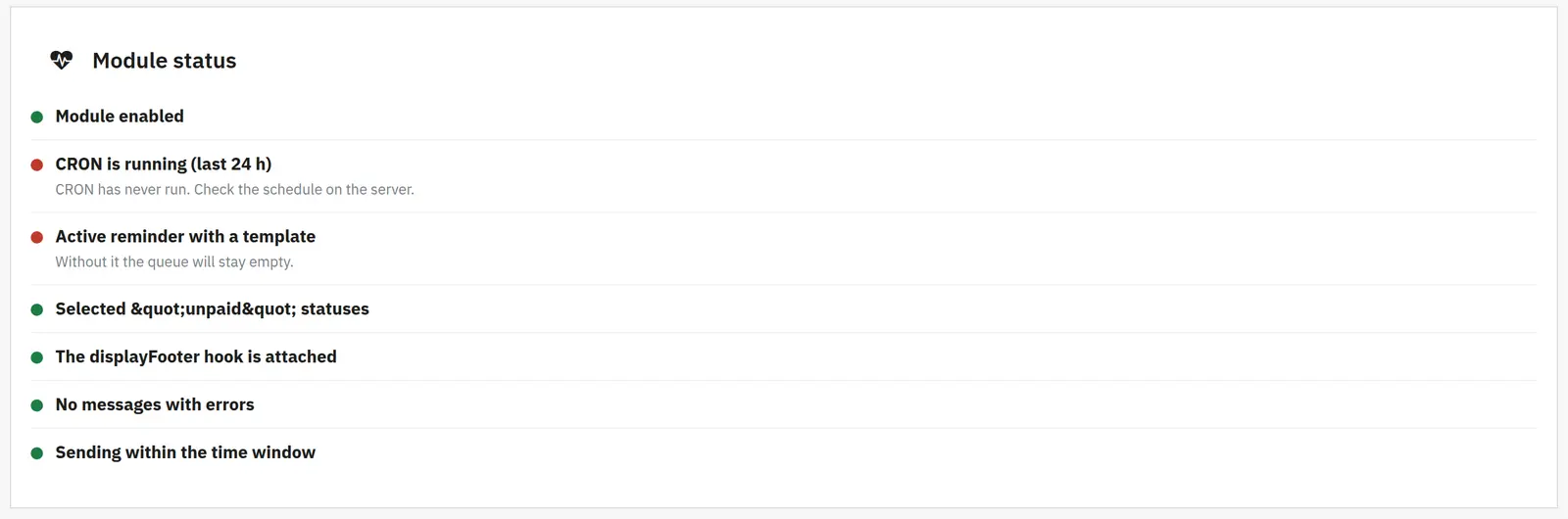
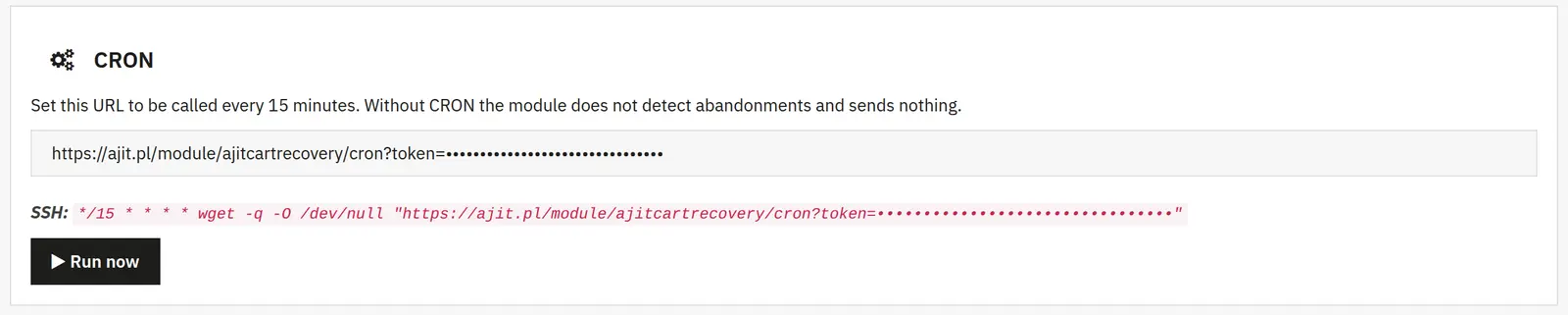
You enable impression counting, the threshold for skipping very fast opens and the retention times for statistics and logs. The CRON URL runs the queue; debug helps check errors.
Push cart reminders now carry the store icon (previously they were sent without an icon when the "Notification icon" field was empty, and the browser showed its own).
A separate field for the small icon in the phone status bar (badge, white silhouette on a transparent background). Previously a colored icon was sent as the badge, which Android turned into a white square.
0.15.4
Links in reminders are tagged for Google Analytics: push utm_source=push&utm_medium=powiadomienie, e-mail utm_source=email&utm_medium=email (SMS sms), campaign porzucony-koszyk, ogladane-produkty or niedokonczona-platnosc. Applies to the button (redirect after the click) and to product links in the e-mail. A link that already has its own utm_source is left unchanged.
A browser whose store cookie has changed (logout, expiry, IP change when the cookie IP check is on) no longer loses its push subscription. The same subscription address with the same keys is recognized as the same browser. Previously the subscription was unregistered and created anew, while the old row stayed in the database as active and counted as expired when sending.
0.15.3
Dashboard, "How much can realistically be recovered": counts people, not carts. Copies and subsequent carts of the same person count once, since only the newest one gets the reminder anyway.
Skips people who bought after abandoning the cart or within N days before it (as when sending, also by e-mail address). Unfinished payments are counted only when the payment stage is enabled.
Clearer wording: "people who can be contacted", "value of their carts". The note about carts without an e-mail no longer recommends the popup with an address field. The result from before the update has to be recalculated.
0.15.2
Push campaigns also recognize a recent order for subscribers without an account (via the cart they signed up from) and by the customer's e-mail address, so a person who bought as a guest does not receive a campaign with a code.
0.15.1
German translation of the texts visible to customers: code popups, push notification request, unsubscribe page, form messages.
"Copied" and "Select and copy" next to the code copy button are now translated (previously always in Polish).
The low-stock note in the e-mail with viewed products is in the customer's language.
0.15.0
Push campaigns to subscribers: a message can be scheduled for a chosen day and time, and the schedule under the form lets you edit it, send it immediately or cancel it. CRON sends scheduled campaigns on time.
A campaign skips people with an order from the last N days (default 14, 0 = send to everyone); under the form you can see how many people it will reach. The history shows how many people were skipped.
0.14.7
The check of tables, columns and indexes during an update bypasses the store's query cache (Redis, Memcached). Previously, on a store with the cache enabled, an update could fail to see tables it had created itself and disable the module.
0.14.6
A separate "Skip if the customer ordered in the last N days" field on every stage (default 14) for e-mail, push and SMS. A skipped stage is shown in Carts as skipped, and when all stages are skipped the cart gets the reason "customer recently placed an order".
The same condition for discount popups now has a field in Settings (default 14 days). The update sets 14 days on existing stages and in Settings.
0.14.5
Codes from e-mail, push and popup no longer apply to discounted products (like the store's other codes) and do not combine with automatic cart promotions.
When all products in the cart are discounted, the popup does not offer a code and the reminder with a discount is not sent.
0.14.4
Interval between e-mails to one customer: at least AJITCR_MIN_GAP_HOURS (default 20 h). An e-mail scheduled too early waits instead of going out on the same day as the previous one.
0.14.3
One series of reminders per customer: when the customer has several carts (including copies created by the store), reminders go only to the newest one and older ones are stopped as "customer has a newer cart".
A customer receives each stage (e.g. 5%, then 10%) at most once within AJITCR_COOLDOWN_DAYS (default 30 days). Changing the cart no longer restarts the series or creates new codes, but leads to the next, not yet sent stage.
0.14.2
No discount after a purchase: a customer with an order from the last 7 days (AJITCR_RECENT_ORDER_DAYS) does not receive an e-mail, push or discount popup. It protects against cart copies that the store creates after a paid order.
Orders with a code from the popup count as recovered, with the popup number. The Dashboard and Statistics show how many of them came from the popup, and the discount cost also includes these codes.
0.14.1
"Preview in the store" in popup editing: the real store page with the popup shown right away, with the appearance chosen in the form. Signed link valid for an hour, sample code without creating a rule, no statistics and no remembering of the dismissal.
0.14.0
Popup appearance: text only, image on the left, image on top or a background image with darkening (color and percentage). On mobile the image moves above the text.
An image uploaded in the panel or the image of the first product in the customer's cart.
Live preview of the whole popup in the form, with a desktop/mobile switch.
0.13.5
Forwarding new newsletter sign-ups to MailerLite: account, order and store footer sign-ups go to a queue and CRON sends them to the chosen group, up to 50 at a time. Settings in the MailerLite panel in Settings.
0.13.4
"Carts" tab: a column for every stage with a message status icon (sent, opened, clicked, waiting, skipped), with date and code in the tooltip, and a result column with the order number.
"Received a message / Waiting / No message" filter, "Who got what" button in Statistics.
0.13.3
Results of push messages sent to everyone: clicks, orders (up to 7 days after the click) and amount in the sending history.
0.13.2
Type of codes in messages: single-use (default) or personal.
Offer for viewers without the quantity column; corrected footer and unsubscribe page texts.
0.13.1
Short, readable discount codes.
The code carries over to the customer's current account with the same e-mail and attaches itself to the cart.
The return popup button attaches the code to the cart.
Fixed code validity check during automatic attaching.
0.13.0
Offer for viewers: saving viewed products, template, e-mail and push stages, "Viewers" tab.
An order with a code from a message is counted as recovered even without a click on the link.
0.12.5
"Send push" tab, push subscribers in Statistics.
Stopping reminders after an order placed on another account with the same e-mail.
PrestaShop 9 compatibility in price formatting.
0.12.4
Fixed sending of messages with a header block.
Several return popups with different discounts; code depends on the discount amount.
Popup codes invisible to other customers.
Brand color in messages, cleanup of expired codes, discount names readable for the customer.
0.12.3
Push consent request: position, text, store icon, background dimming, waiting for the cookie banner, asking again after 24 h, hint on desktop. Disabled by default.
Versioned JS and CSS file URLs.
0.12.2
Codes from different stages and channels do not combine with each other or with the store's non-combinable codes.
0.12.1
A stage with a discount is skipped when a code cannot be issued.
0.12.0
Popup for returning visitors with a discount code.
0.11.1
Fixes in schema migration, backlog scheduling, stop rules and panel filters.
0.11.0
Fixes in sending, limits, permissions, multistore, test mode, Web Push and data retention.
0.10.0
SMS channel (SMSAPI) with daily, monthly and per-cart limits.