

Category description at the bottom, below products, in PrestaShop 1.7
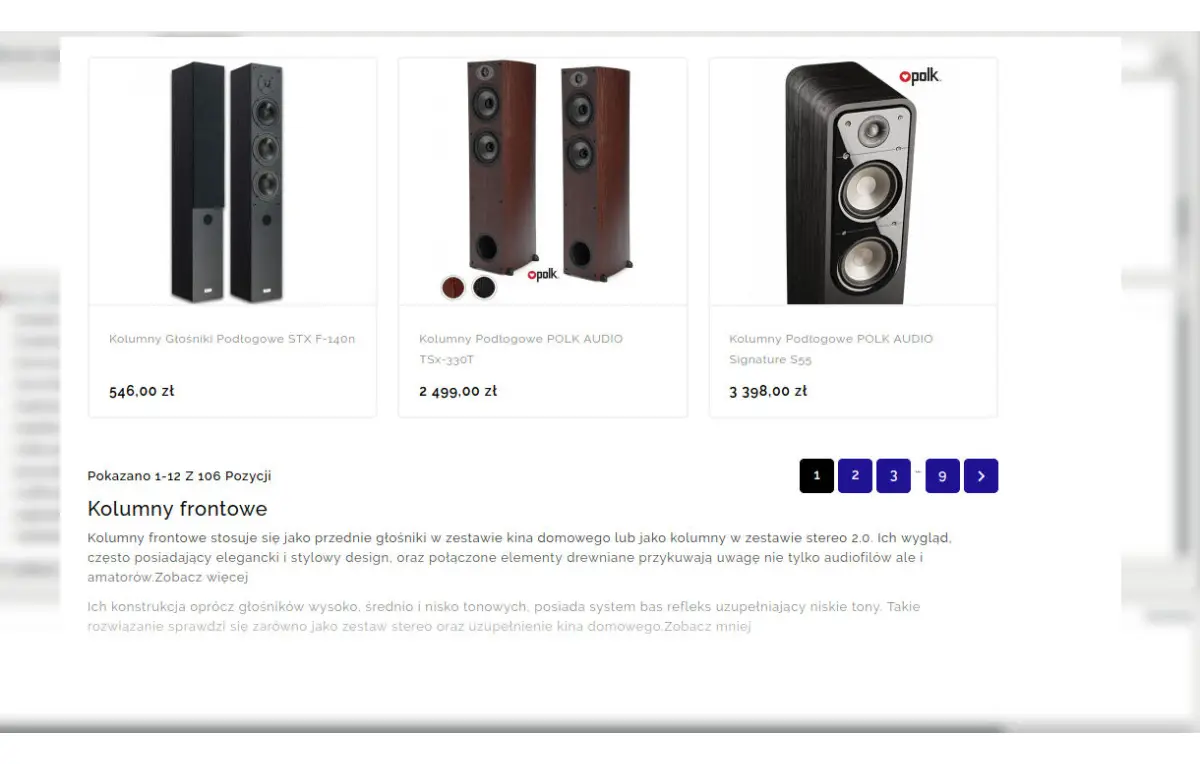
How to add a category description at the bottom in PrestaShop? Unfortunately it is not a "switch" option in the admin panel. We will have to move code from one How to add a category description at the bottom in PrestaShop? Unfortunately it is not a "switch" option in the admin panel. We will have to move code from one file to another.
To do this we need to log in to our store's FTP server. We use FileZilla, of course, or another client for connecting to our server.
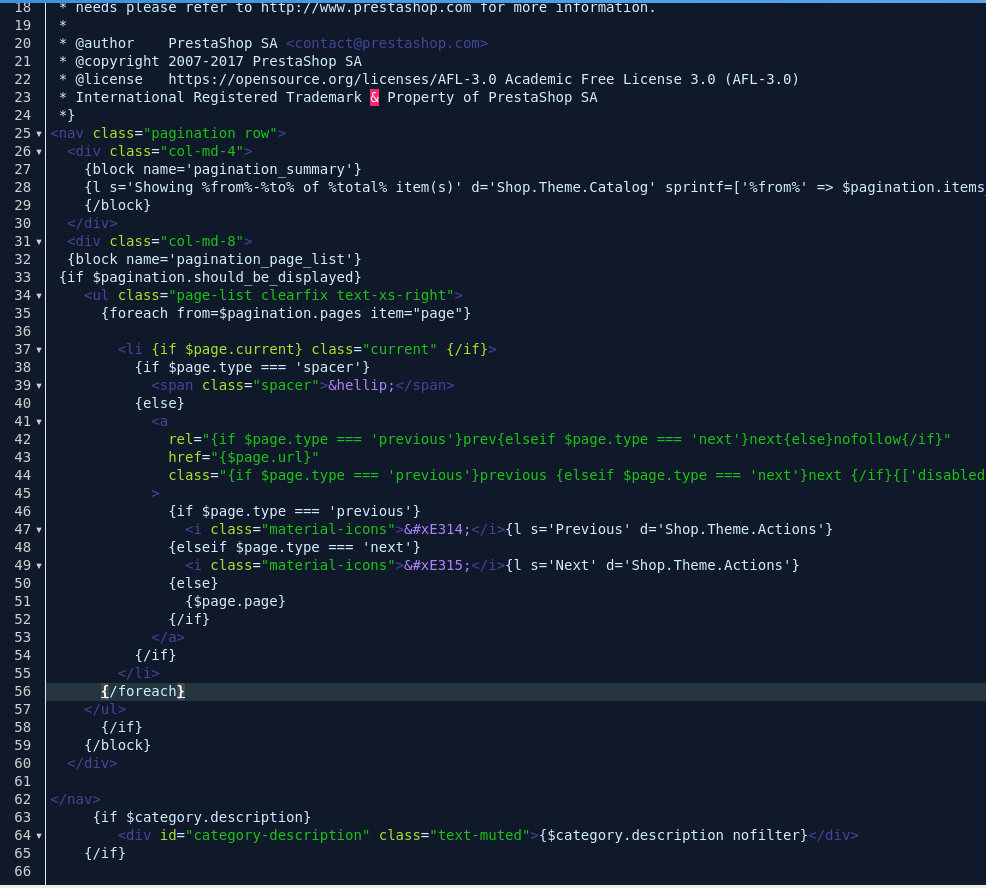
How to move the category description to the bottom. Instructions.
In our theme we look for the file responsible for displaying the category. In the theme I use, it looks like this: themes/uzywany_szablon/templates/catalog/listing/category.tpl (Remember to always make a copy of the file before you start! We edit the file in the directory of the theme in use) Next, from this file we cut the code responsible for our description, preferably with ctrl+x. The code structure in my theme responsible for the description looks like this:{if $category.description} <div id="category-description" class="text-muted">{$category.description nofilter}</div> {/if}The next step is to open the file responsible for displaying pagination on the page, i.e. pagination.tpl. In the theme I use, it is located in the directory: themes/uzywany_szablon/templates/_partials/pagination.tpl In your themes the file may be in a different location! If you do not know where it is, the simplest way is to copy the whole folder to your disk/desktop, open it and search, e.g. with the ctrl+f shortcut, typing the file name pagination.tpl. OK, now the most important thing: we paste the piece of code cut from the category file at the very bottom of the pagination file. That is all.
Why do we use descriptions in store categories?
For better positioning of our store; hardly anyone actually reads this text. It helps search engines better understand what is in a given product category. That is exactly why it is best to add it at the bottom of the category page, so that potential customers are not frustrated by scrolling while looking for their dream product. Ideally we would also turn it off on the other category subpages to avoid duplicate content.How many words should a category description contain in PrestaShop?
Really, the more the better. An appropriate density of keywords and the content itself are very important. If we have a home appliances category and in 2,000 words we use the word "home appliances" 10-15 times in the text, we will get the opposite of the intended effect. The whole text should look natural and convey the most important information. The minimum we adopt as an agency is 315-320 words per description. If you are looking for someone to write category descriptions, check our offer in the category SEO services.Get notified about new articles
Subscribe by e-mail or turn on browser notifications — we only send new blog posts, nothing else.




Comments
No comment at this time!
Leave your comment